
How to Join Loyalty Program
Customers can join the loyalty program in several ways, depending on the settings configured by the merchant.
Join Loyalty Program Manually
If automatic enrollment is not enabled, customers can join the loyalty program manually through their profile page.
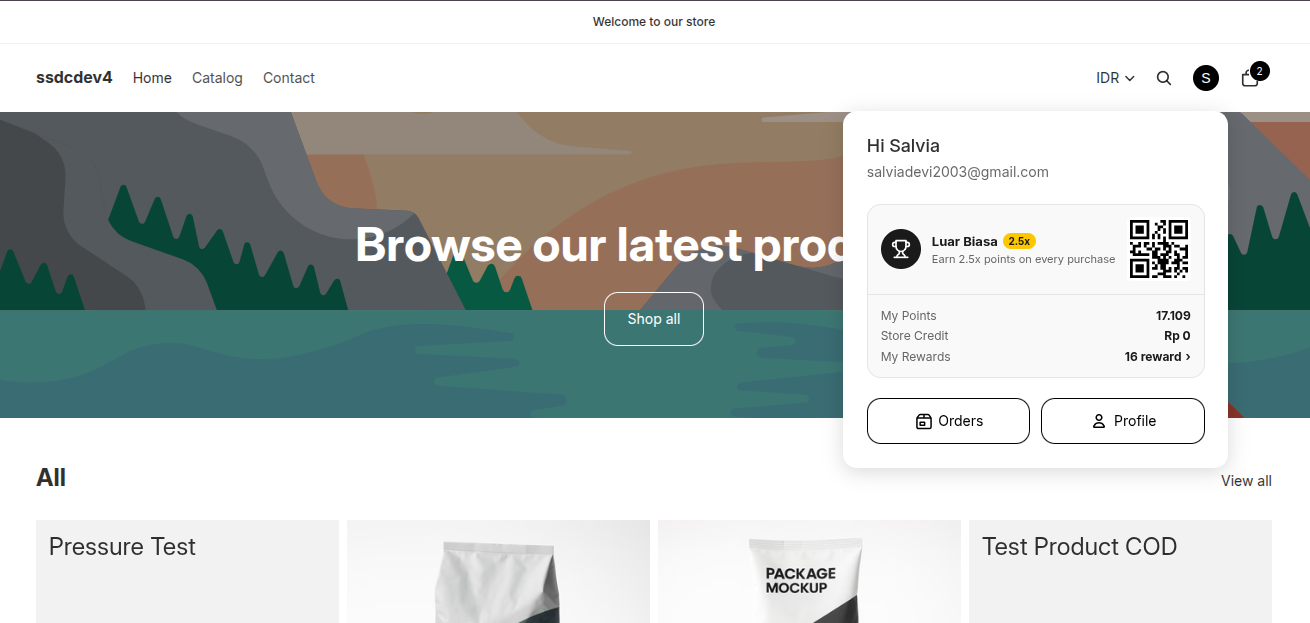
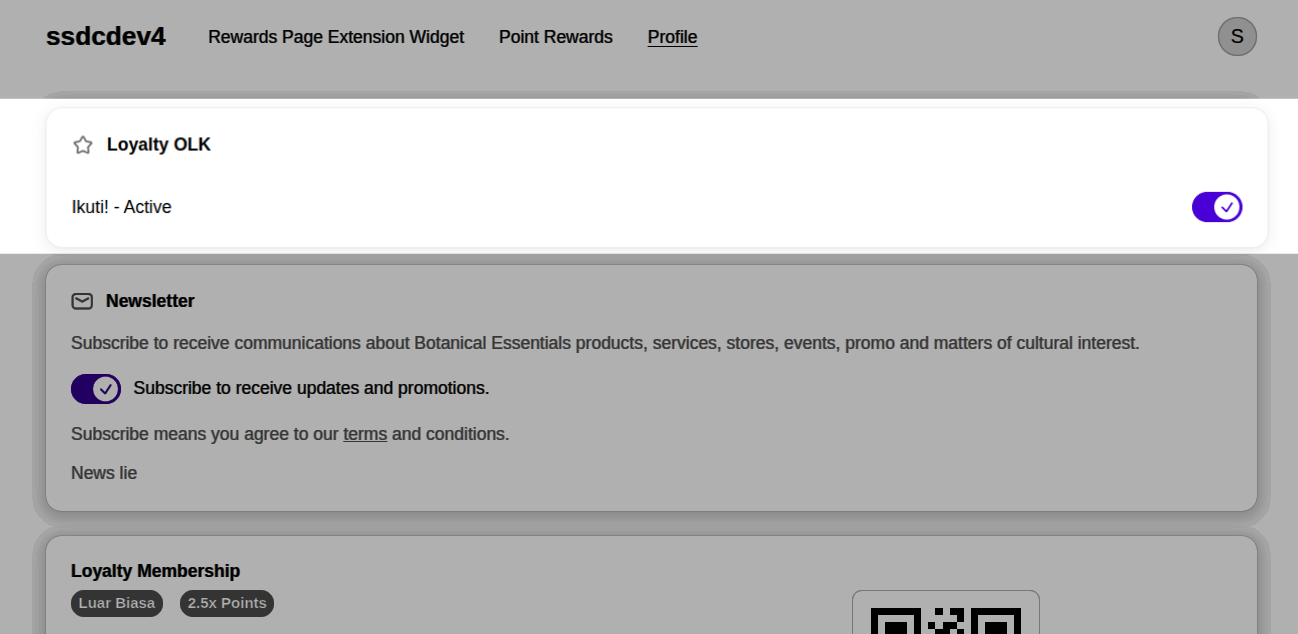
Steps
- Click the Account icon at the top of the website.
- Click Profile.
- Locate the Loyalty Program section.
- Enable the loyalty membership toggle.
- The loyalty status will change to Active.
- The customer is now enrolled in the loyalty program.
Result
After joining, customers can:
- Earn points from eligible purchases.
- View their current membership tier.
- Redeem points for available rewards.
- Access other loyalty program benefits offered by the merchant.
Automatic Enrollment
Merchants can enable automatic enrollment from the Settings menu in the Merchant Dashboard.
Several enrollment methods are available:
Auto-Join Loyalty Program
Customers are automatically enrolled when they register or log in.
Result:
- No manual activation is required.
- Loyalty membership becomes active immediately after account creation or login.
Join Loyalty After First Order
Customers are automatically enrolled after completing their first paid order.
Result:
- Membership becomes active after the first successful purchase.
- Ideal for merchants who want loyalty access only for purchasing customers.
Join Loyalty When Profile Completed
Customers are automatically enrolled once they complete their profile information.
Result:
- Membership becomes active after profile completion.
- Helps merchants collect more complete customer information before granting loyalty access.
Notes
- The enrollment method is determined by the merchant.
- Different stores may use different enrollment methods.
- Only one automatic enrollment method can be active at a time.
- If no automatic enrollment option is enabled, customers must join manually through the Profile page.