
How to Redeem Points
Customers can redeem their loyalty points for available rewards in the loyalty program. Once a reward is successfully redeemed, it will be converted into a coupon code that can be used during checkout.
Steps to Redeem Points
- Click the Account icon in the top-right corner of the website.
- Select the Profile menu or open the Point Rewards tab.
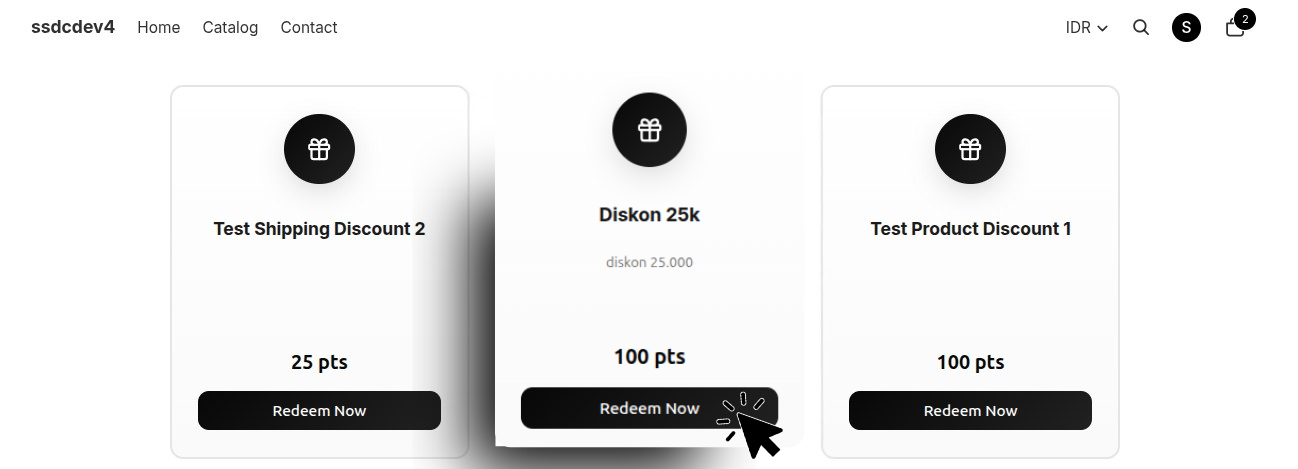
- Scroll down to the Available Rewards section.
- Choose the reward you would like to redeem.
- Click the Redeem or Redeem Now button.
- The system will process the redemption using your available loyalty points.
- Once the redemption is successful, your points balance will be automatically reduced according to the reward's point cost.
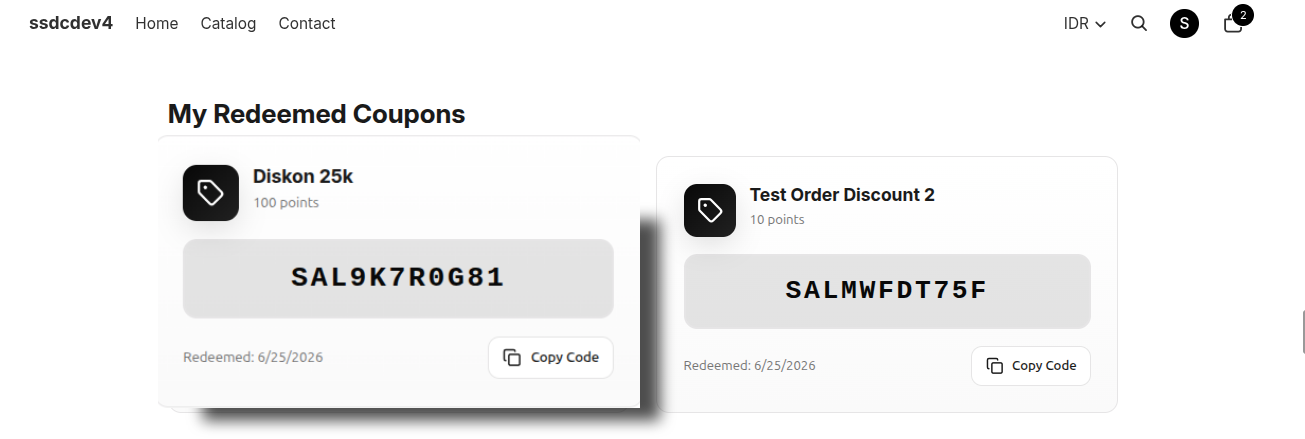
- Scroll down to the My Redeemed Coupons section to view your redeemed reward.
Redemption Result
After a reward has been successfully redeemed, the system will:
- Deduct the required number of points from the customer's account.
- Generate a coupon code automatically.
- Store the coupon in the My Redeemed Coupons section.
- Provide a Copy Code button for easy coupon copying.
My Redeemed Coupons
The My Redeemed Coupons section displays all rewards that have been successfully redeemed.
Available information includes:
- Reward Name — The name of the redeemed reward.
- Coupon Code — The voucher code that can be used during checkout.
- Redemption Date — The date the reward was redeemed.
- Copy Code — A button to quickly copy the coupon code.
- Applicable Products (if applicable) — Products eligible for the coupon.
Using a Coupon at Checkout
- Copy the coupon code from the My Redeemed Coupons section.
- Add products to your shopping cart.
- Proceed to checkout.
- Enter the coupon code in the Discount Code or Coupon Code field.
- Click Apply to use the reward or discount.
Notes
- Rewards can only be redeemed if the customer has sufficient points.
- Each reward may require a different number of points.
- Redeemed coupons remain available in the My Redeemed Coupons section until they are used or expire.
- Coupon codes can be used according to the terms and conditions of the respective reward.