
How to See Rewards
Customers can view available rewards, bonus rewards, and redeemed coupons through the loyalty widget. Reward information is available both on the Profile page and the Point Rewards page.
Steps to View Rewards
- Click the Account/Profile icon in the top-right corner of the website.
- Select Profile.
- To view rewards, choose one of the following methods:
Option 1: View Rewards from the Profile Page
- Stay on the Profile page.
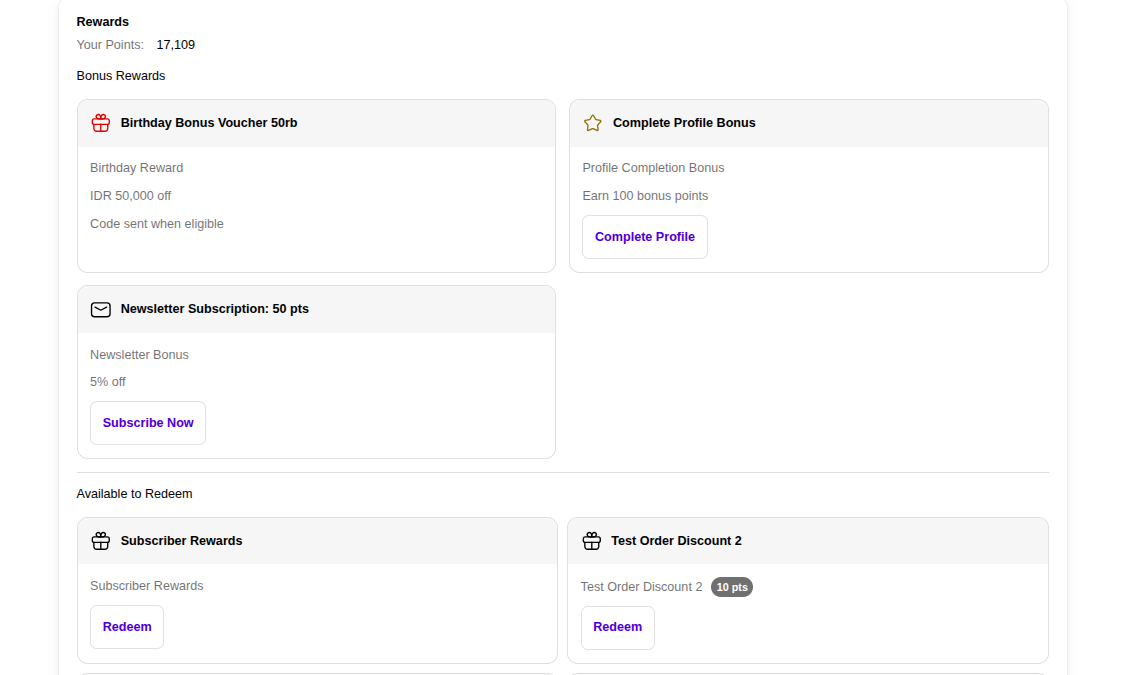
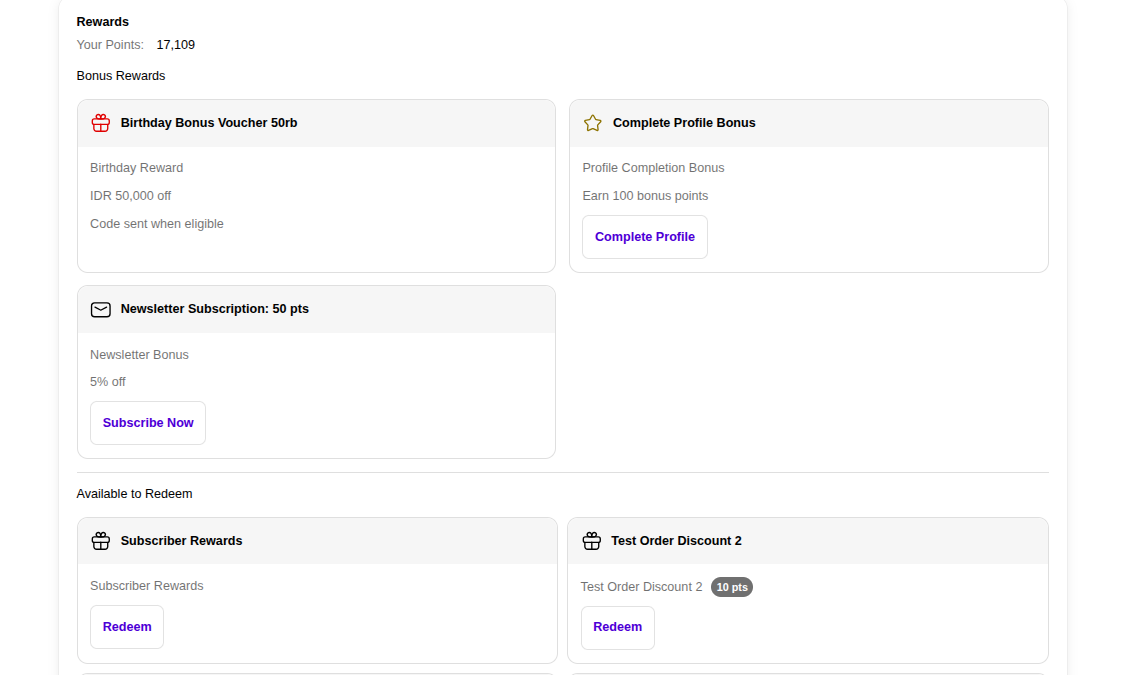
- Scroll down until you reach the Rewards section.
- Review the available rewards displayed on the page.
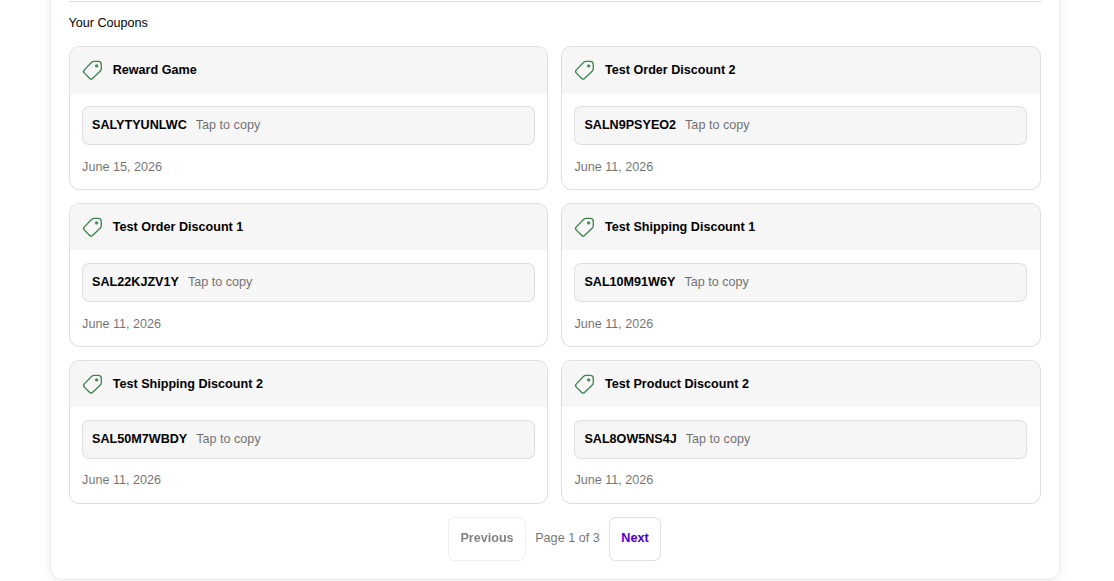
- Continue scrolling down to view the Your Coupons section, which contains redeemed reward vouchers and coupon codes.
Option 2: View Rewards from the Point Rewards Page
- From the Profile page, click the Point Rewards tab.
- Scroll down past:
- Membership Tier Progress
- Points Summary
- Continue scrolling until you reach the Available Rewards section.
- Review all rewards that are currently available.
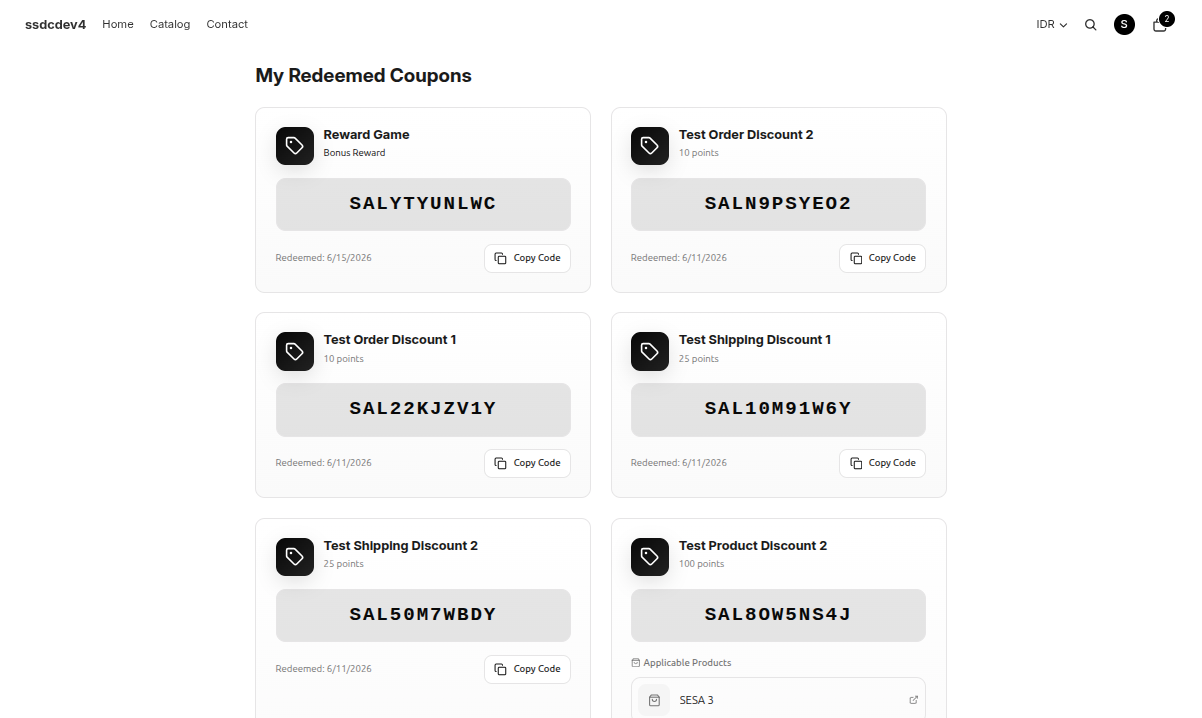
- Scroll further down to view the My Redeemed Coupons section.
Available Rewards
The Available Rewards section displays rewards that customers can earn or redeem through the loyalty program.
This section may contain:
- Bonus Rewards — Rewards granted after completing specific actions such as profile completion, newsletter subscription, or birthday rewards.
- Redeemable Rewards — Rewards that can be exchanged using loyalty points.
- Points Requirement — The number of points required to redeem a reward.
- Reward Description — Information about the reward benefits and eligibility requirements.
My Redeemed Coupons
The My Redeemed Coupons section displays rewards that have already been redeemed by the customer.
Information available includes:
- Reward Name — The redeemed reward or voucher name.
- Coupon Code — The voucher code generated by the system.
- Redemption Date — The date when the reward was redeemed.
- Copy Code — A button for quickly copying the coupon code.
- Applicable Products (if applicable) — Products that can be used with the redeemed voucher.
Notes
- The rewards displayed may vary depending on the merchant's loyalty program configuration.
- Some rewards are available automatically after customers complete specific actions.
- Redeemed vouchers remain available in the My Redeemed Coupons section until they expire or are used.
- Customers can access reward information from either the Profile page or the Point Rewards page.