
How to Use Coupons at Checkout
Customers can use redeemed coupon codes during checkout to receive discounts or other reward benefits. Coupon codes can be found in the My Redeemed Coupons section after a reward has been redeemed.
Steps to Use a Coupon at Checkout
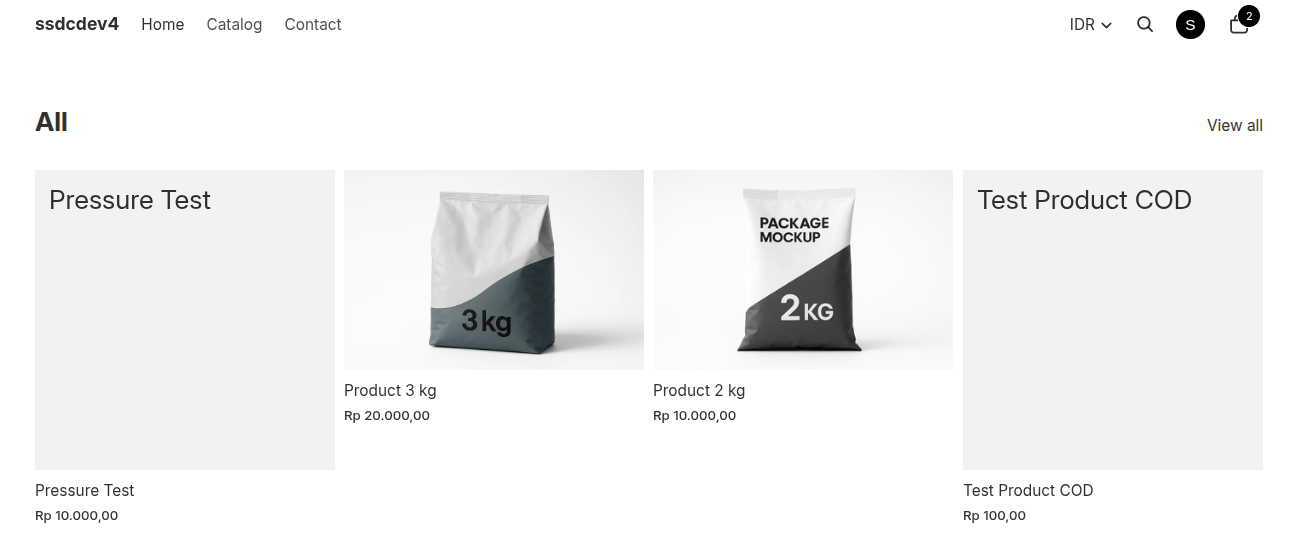
- Browse the store and select the product you want to purchase.
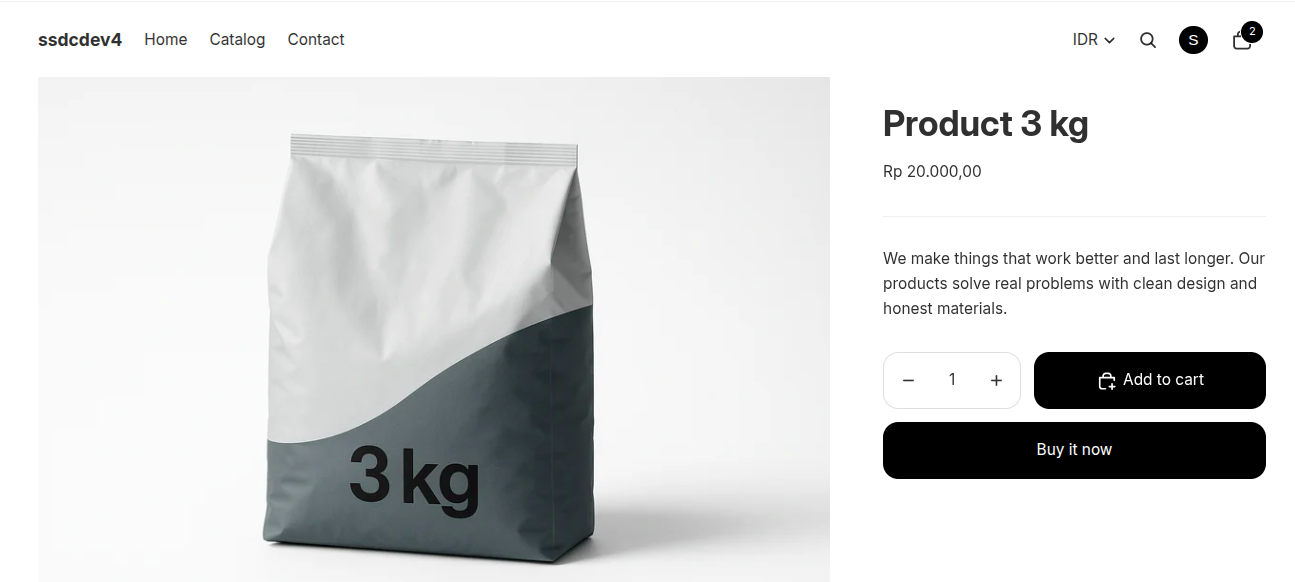
- Open the product page.
- Click Add to Cart or Buy It Now.
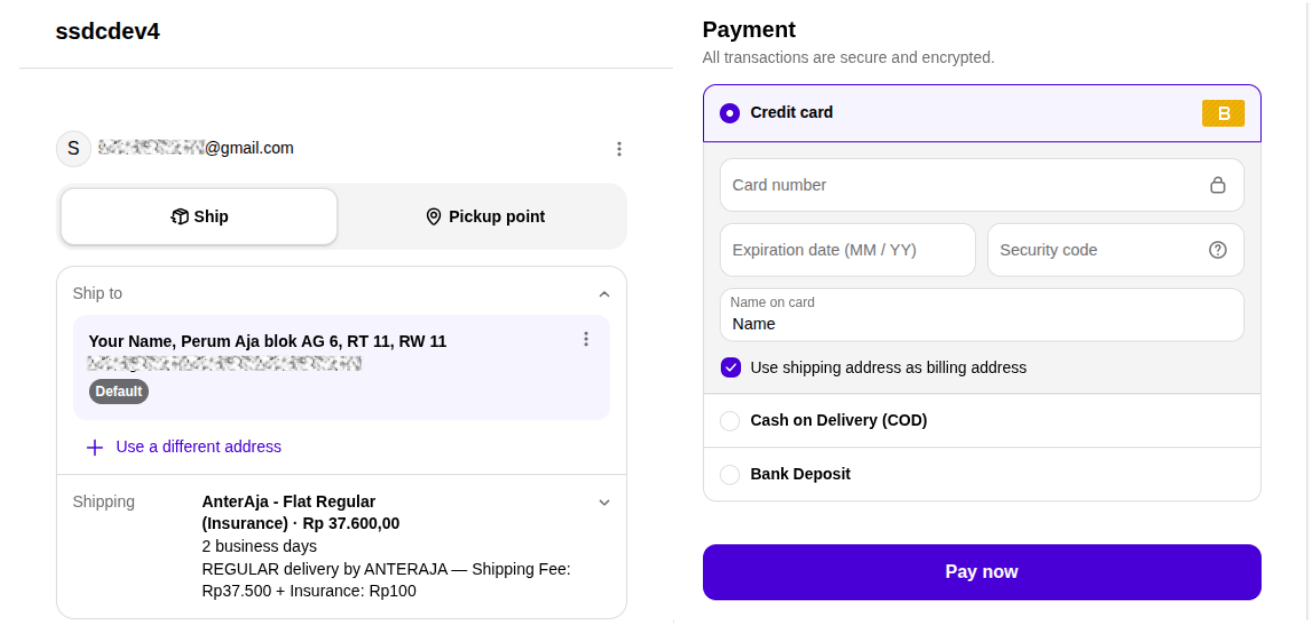
- Proceed to the checkout page.
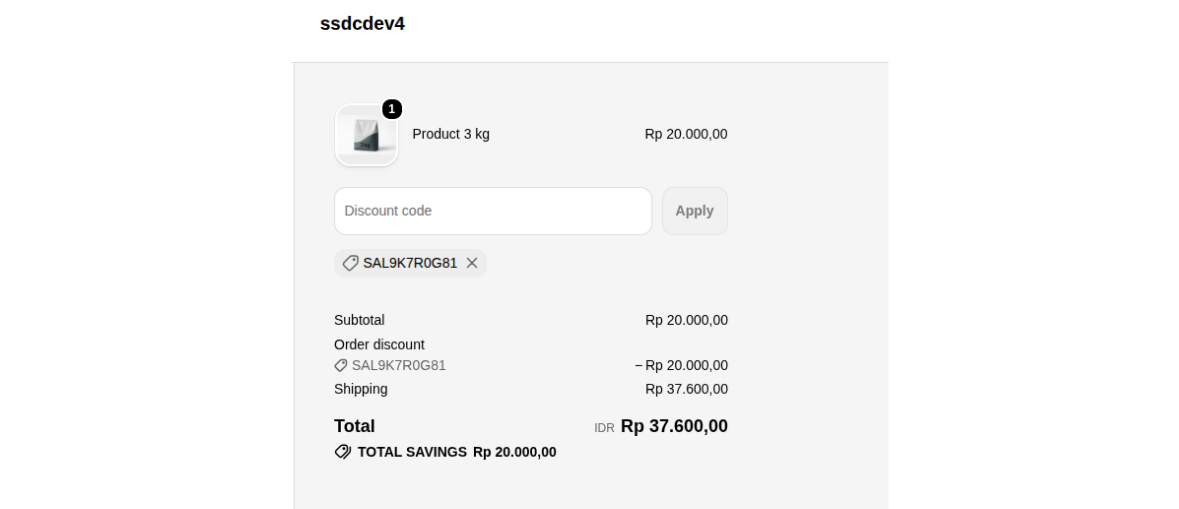
- In the Discount Code field, enter the coupon code obtained from the My Redeemed Coupons section.
- Click Apply to apply the coupon.
- Verify that the discount or reward has been successfully applied to your order.
- Complete the checkout process by selecting a payment method and placing the order.
Finding Your Coupon Code
- Click the Account/Profile icon.
- Open the Profile page or Point Rewards page.
- Navigate to the My Redeemed Coupons section.
- Locate the coupon you want to use.
- Click Copy Code to copy the coupon code.
- Paste the code into the Discount Code field during checkout.
Notes
- Coupons can only be used according to the terms and conditions of the reward.
- Some coupons may only apply to specific products or collections.
- Expired coupons cannot be used during checkout.
- Only valid coupon codes can be successfully applied.
- The discount amount will be displayed in the order summary after the coupon is applied.