
How to Subscribe to Newsletter Rewards
Customers can subscribe to the store's newsletter to receive updates, promotions, and loyalty-related announcements. Some merchants may also offer bonus points or rewards for subscribing.
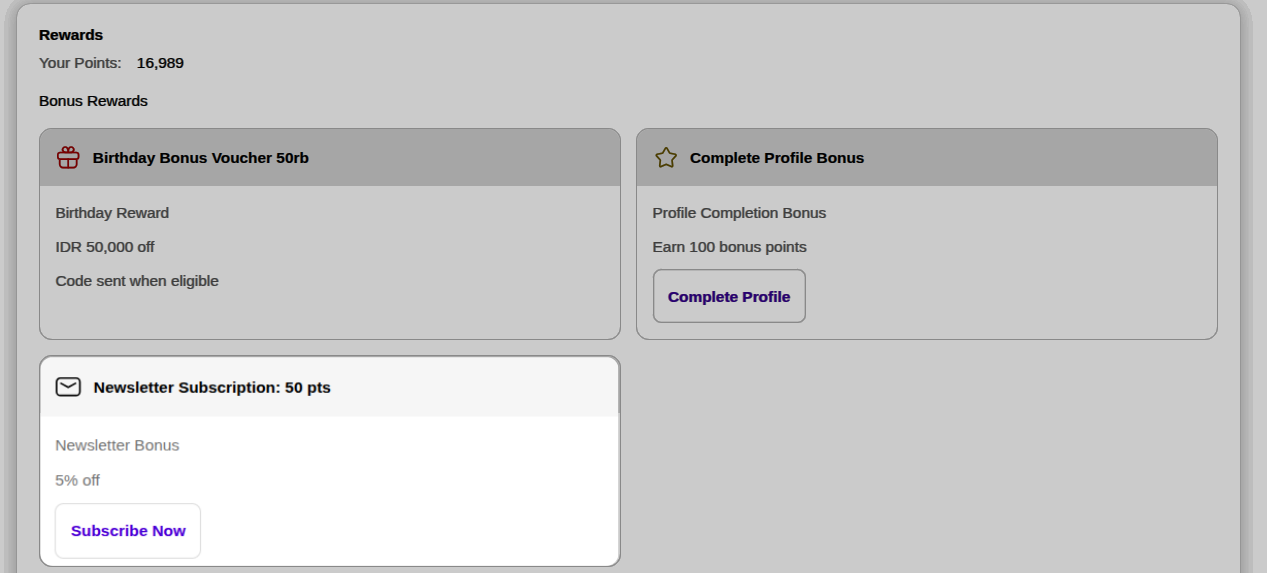
Steps to Subscribe to the Newsletter
- Log in to your customer account.
- Click the Profile icon in the top-right corner of the store.
- Open the Profile page.
- Scroll down until you find the Newsletter Subscription section.
- Click the Subscribe button.
- Once the subscription is successful, your newsletter status will be updated automatically.
Benefits of Subscribing
Depending on the merchant's loyalty program configuration, subscribing to the newsletter may provide:
- Bonus loyalty points
- Exclusive promotions
- Early access to special offers
- Loyalty program updates
- Store announcements and news
Newsletter Subscription Bonus
Some merchants may reward customers for subscribing to the newsletter.
When enabled, customers may receive:
- Bonus loyalty points
- Special rewards
- Exclusive member-only offers
The reward amount and eligibility requirements are determined by the merchant.
Notes
- Customers can only receive subscription rewards if the merchant has enabled the feature.
- Bonus rewards are granted according to the loyalty program rules configured by the merchant.