
The way you join the Loyalty Program depends on the merchant's configuration. Merchants may use either manual enrollment or automatic enrollment.
Option 1. Merchant Uses Manual Enrollment
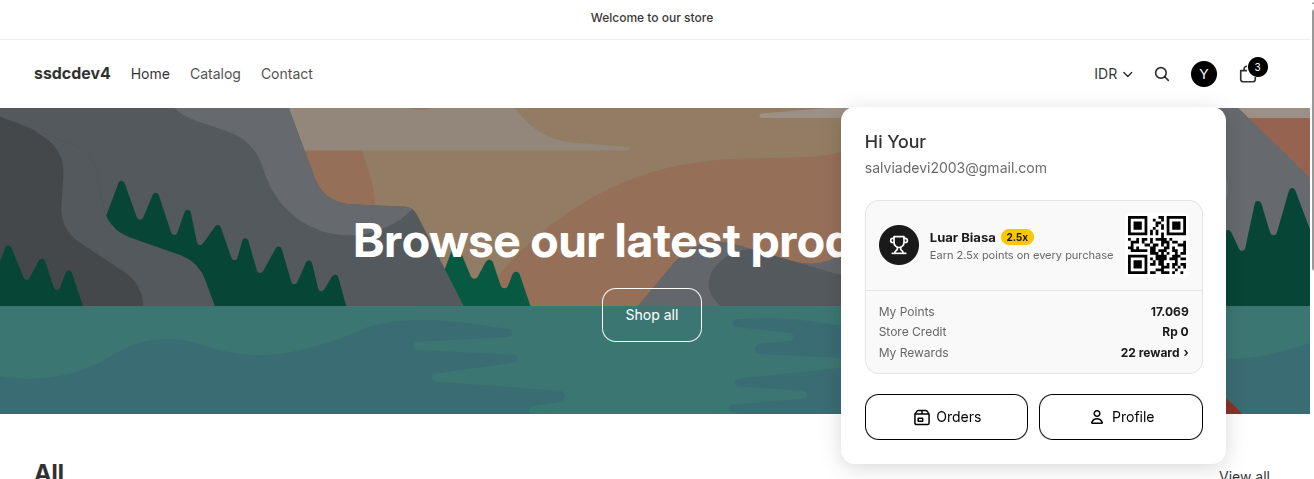
- Click the Profile/Account icon in the top-right corner of the website.
- Select Profile.
The next step depends on the merchant's configuration.
If the merchant enables Enrollment Questions
You will be asked to answer several questions before joining the Loyalty Program.
- Complete all displayed questions.
- Questions marked with (*) are required.
- After completing all required questions, click Join.
- You will successfully become a Loyalty Program member.
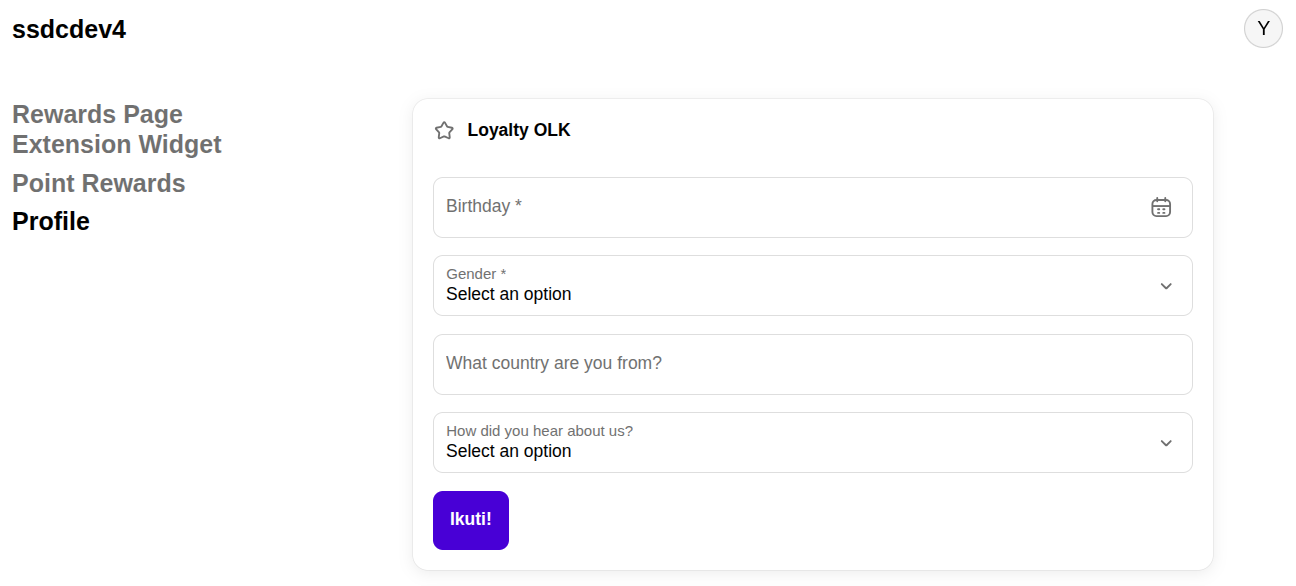
If the merchant does not enable Enrollment Questions
- In the Loyalty OLK section, enable the Join toggle.
- You will immediately become a Loyalty Program member.

Option 2. Merchant Uses Auto Join
If the merchant enables one of the Auto Join methods, you will automatically become a Loyalty Program member without completing the manual enrollment process.
The merchant may use one of the following methods:
- Auto-Join Loyalty Program — You are automatically enrolled when you register or log in.
- Join Loyalty After First Order — You are automatically enrolled after your first paid order.
- Join Loyalty When Profile Completed — You are automatically enrolled after completing your profile.
To check whether your Loyalty Program membership is active, open the Profile page and locate the Loyalty OLK section. If your membership is active, the status will be displayed as "Loyalty OLK – Active" or another active status indicator.

Notes
- The enrollment process may vary depending on the merchant's configuration.
- Enrollment Questions appear only if the merchant enables the feature.
- If Enrollment Questions are not enabled, simply enable the Join toggle to become a Loyalty Program member.
- If the merchant uses Auto Join, you will be enrolled automatically without enabling the toggle or completing Enrollment Questions.