
Use the customer's saved birthday
Create a Birthday Bonus rule and choose points, a voucher, or supported store credit. The customer's saved birthday, enrollment, rule status, and eligibility determine whether a reward is issued.
Voucher plus points
A birthday voucher-code reward can also include additional birthday points. Enter a nonnegative points amount. This option applies only to birthday voucher codes, not automatic discounts, points-only rewards, or store credit.
Check the birthday in the customer's profile, the rule's dates, tier or segment restrictions, and the issued reward history before assuming a grant failed. A Brand Birthday rule is a separate purchase-triggered campaign.
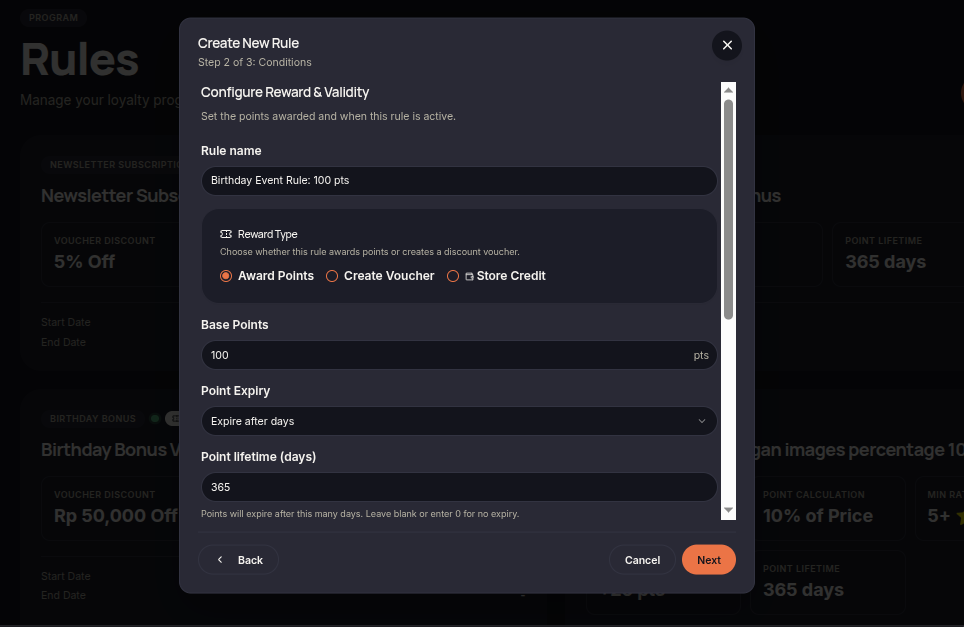
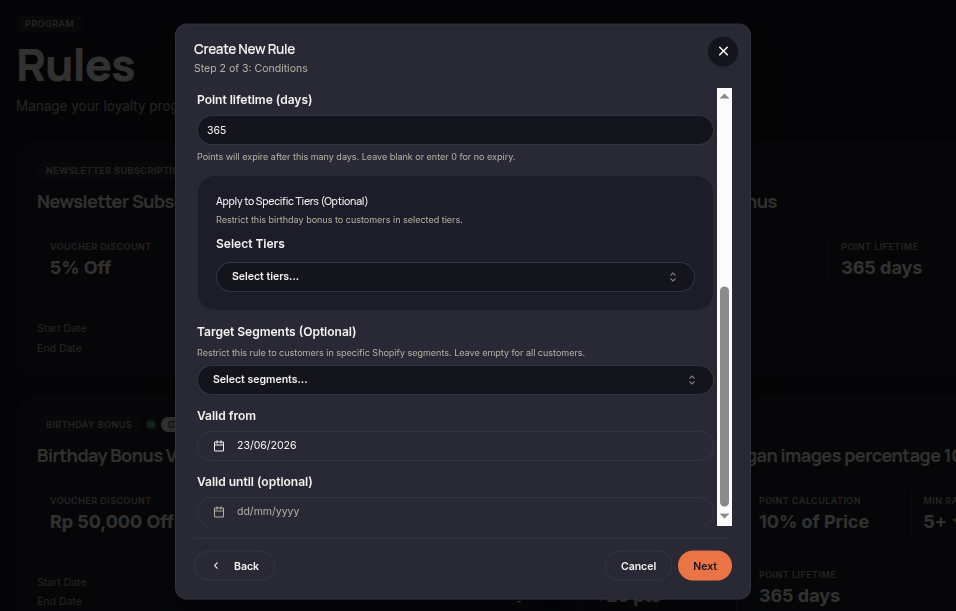
The Birthday Bonus rule allows merchants to reward customers on their birthday. Birthday rewards are an effective way to increase engagement and create a more personalized customer experience.
Steps to Create a Birthday Bonus Rule
- Open the Rules menu.
- Click Create Rule.
- Select Birthday Bonus.
- Choose the reward type (Points or Voucher).
- Set the reward amount customers will receive on their birthday.
- (Optional) Configure eligible customer tiers or segments.
- Set the rule validity period if required.
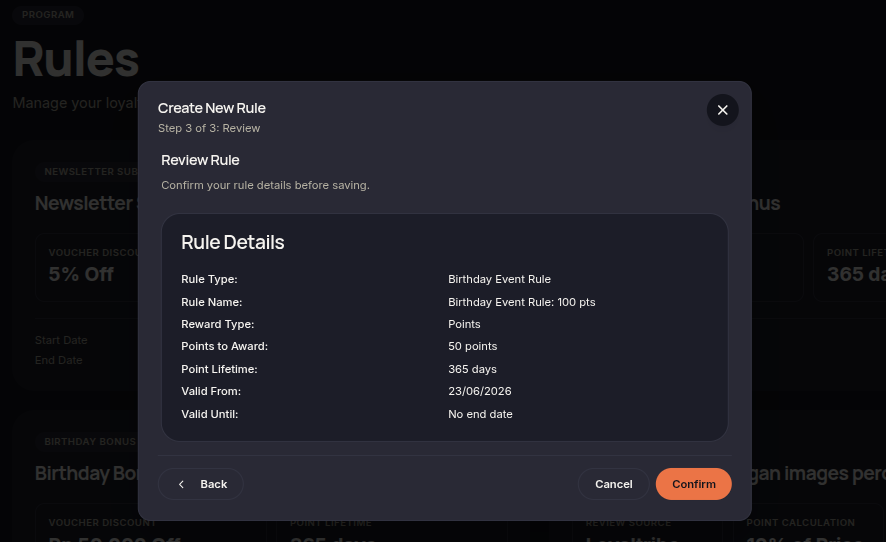
- Click Next to review the configuration.
- Click Confirm rule to save and activate the rule.
Additional Information
- The system uses the birthday stored in the customer's profile.
- Rewards are automatically granted when the customer's birthday arrives.
- Birthday rewards can be combined with other loyalty campaigns.