
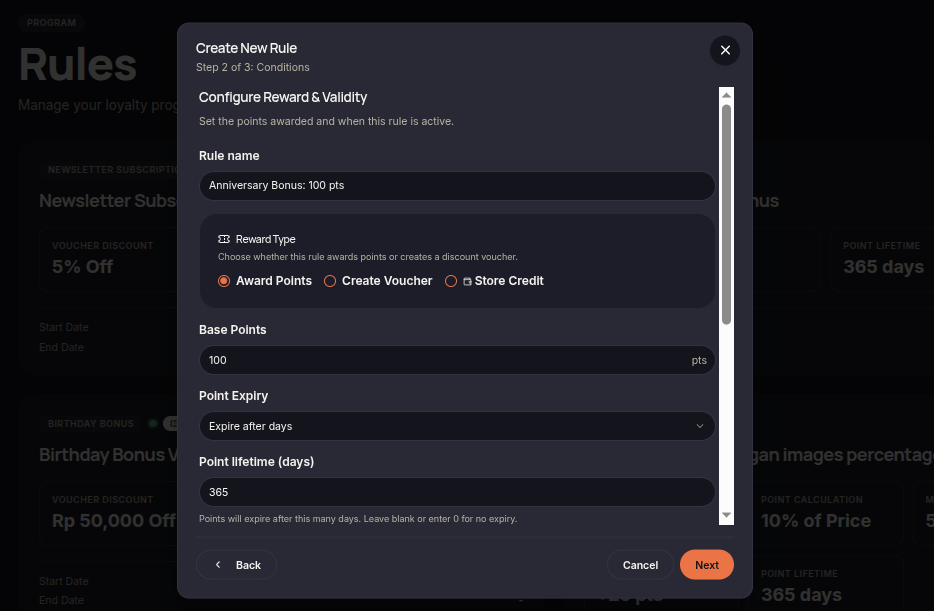
The Anniversary Bonus rule allows merchants to reward customers with points or vouchers each year on the anniversary of their loyalty program enrollment. This helps strengthen long-term customer engagement and loyalty.
Steps to Create an Anniversary Bonus Rule
- Open the Rules menu.
- Click Create Rule.
- Select Anniversary Bonus.
- Choose the reward type (Points or Voucher).
- Set the reward amount customers will receive on their membership anniversary.
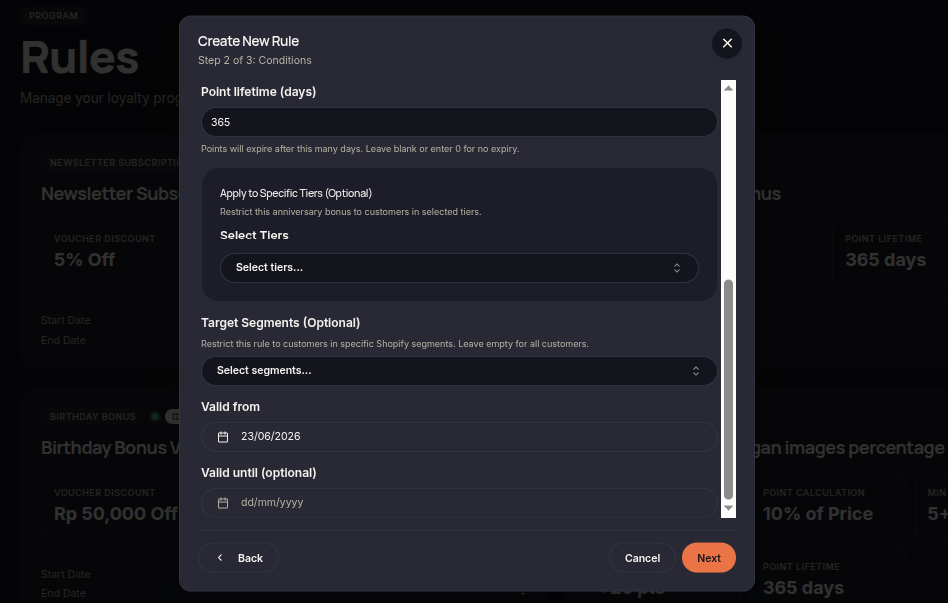
- (Optional) Select eligible customer tiers or segments.
- Configure the rule validity period.
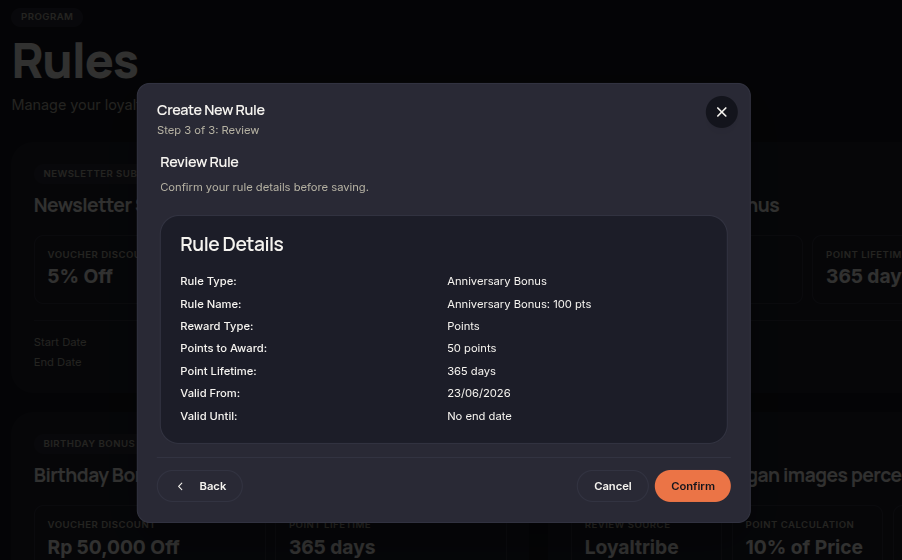
- Click Next to review the configuration.
- Click Confirm rule to save and activate the rule.
Additional Information
- Rewards are issued annually based on the customer's enrollment date.
- Merchants may restrict rewards to specific tiers or customer segments.
- Rewards are automatically granted when the anniversary date is reached.