
Reward a completed profile
Set up a Complete Profile rule with points, a voucher, or supported store credit. The profile-completion claim requires birthday and gender. Enrollment questions are configured separately and do not automatically redefine this condition.
Award once
The completion bonus is claimed once. Saving the profile again or submitting concurrent updates does not generate a second successful bonus. If a customer has already claimed it, changing their profile is not a way to earn it again.
Check the customer profile, rule status and eligibility, and reward history when troubleshooting. Use a new test customer to test a first-time claim.
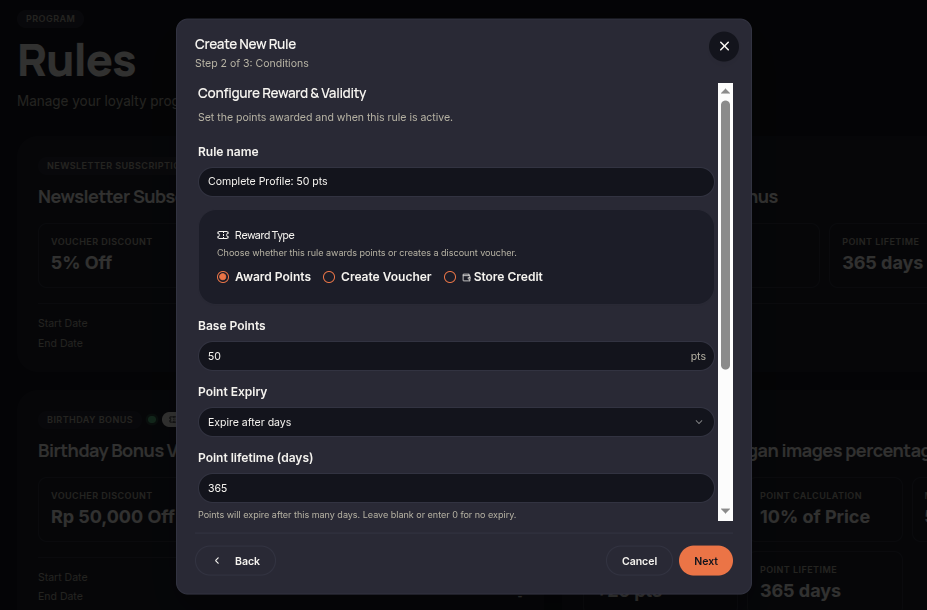
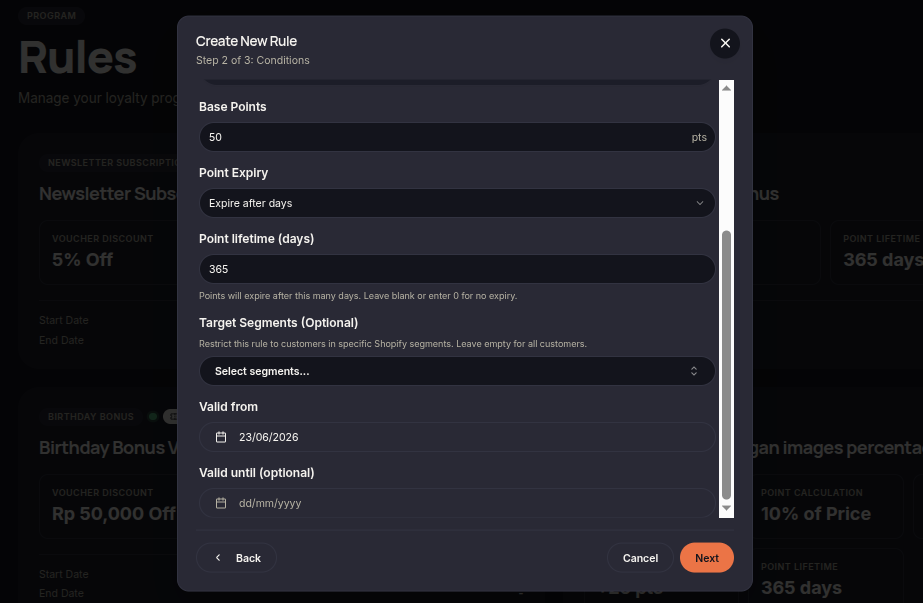
The Complete Profile rule rewards customers after they complete the required profile information. This rule helps merchants encourage customers to provide more complete and accurate profile data.
Steps to Create a Complete Profile Rule
- Open the Rules menu.
- Click Create Rule.
- Select Complete Profile.
- Choose the reward type (Points or Voucher).
- Set the reward amount customers will receive after completing their profile.
- (Optional) Select customer segments eligible for the reward.
- Configure the rule validity period if needed.
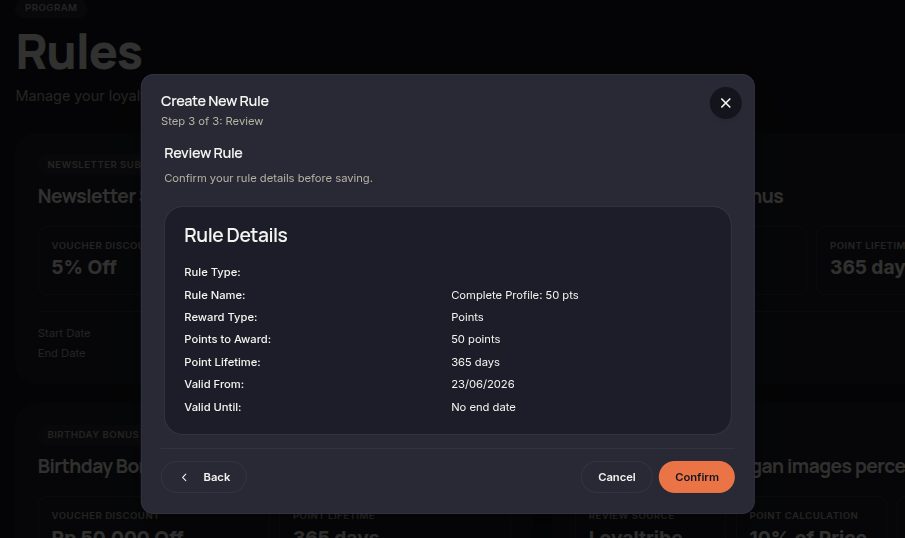
- Click Next to review the configuration.
- Click Confirm rule to save and activate the rule.
Additional Information
- Rewards are only issued after the required profile information has been completed.
- This rule is commonly used to improve customer profile completeness.
- Rewards are automatically granted once the conditions are met.