
Choose the reward
Open Rewards and create a reward. Configure a discount coupon, supported store credit, or points conversion. Set the point cost, description, active dates, tier and segment eligibility, and the reward-specific fields.
For product discounts, select an application mode: each qualifying item, one item where supported, or customer picks a product during redemption. Follow the platform restrictions shown in the editor.
Set the voucher's expiry
A relative validity in days begins when the coupon is issued. If the reward also has an earlier end date, that date caps the coupon expiry. The expiry is stored at issuance: editing the reward later does not extend already-issued coupons.
Allow discount combinations deliberately
Choose whether the discount can combine with order, product, or shipping discounts. These are separate options and default to off. Shopify's checkout rules and the other discount's combination settings still apply.
Customer-facing descriptions
The main description appears in the reward catalog. The voucher description appears after issuance; editing that description can change the terms text shown for existing vouchers. A gamification flag makes a reward selectable as a prize; a positive-cost active reward can still appear in the regular catalog.
Create a Reward
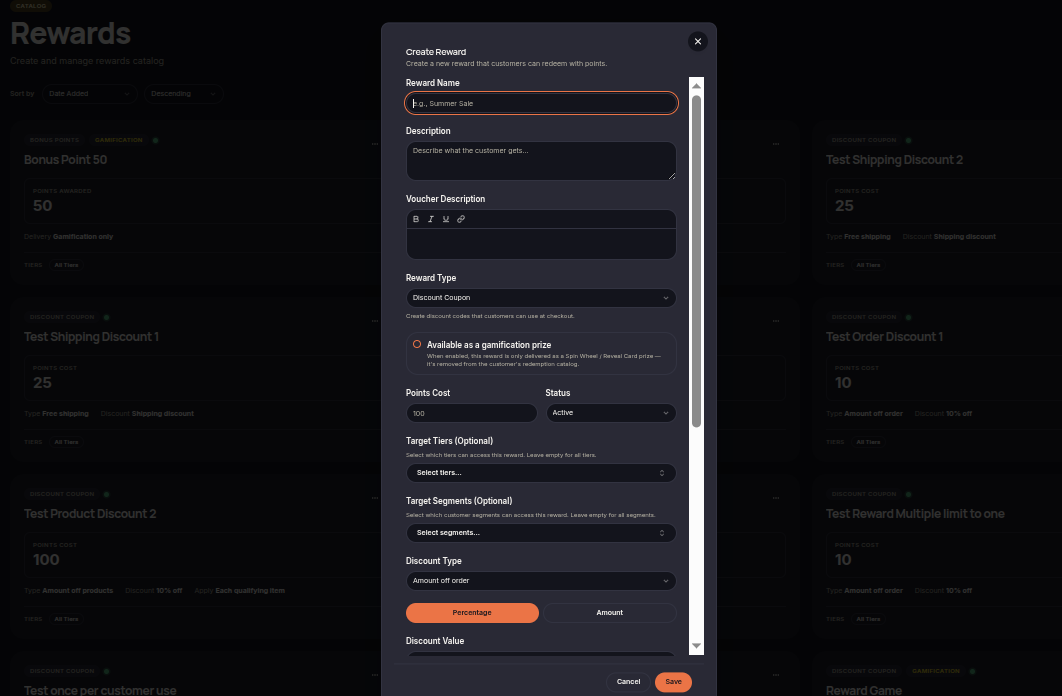
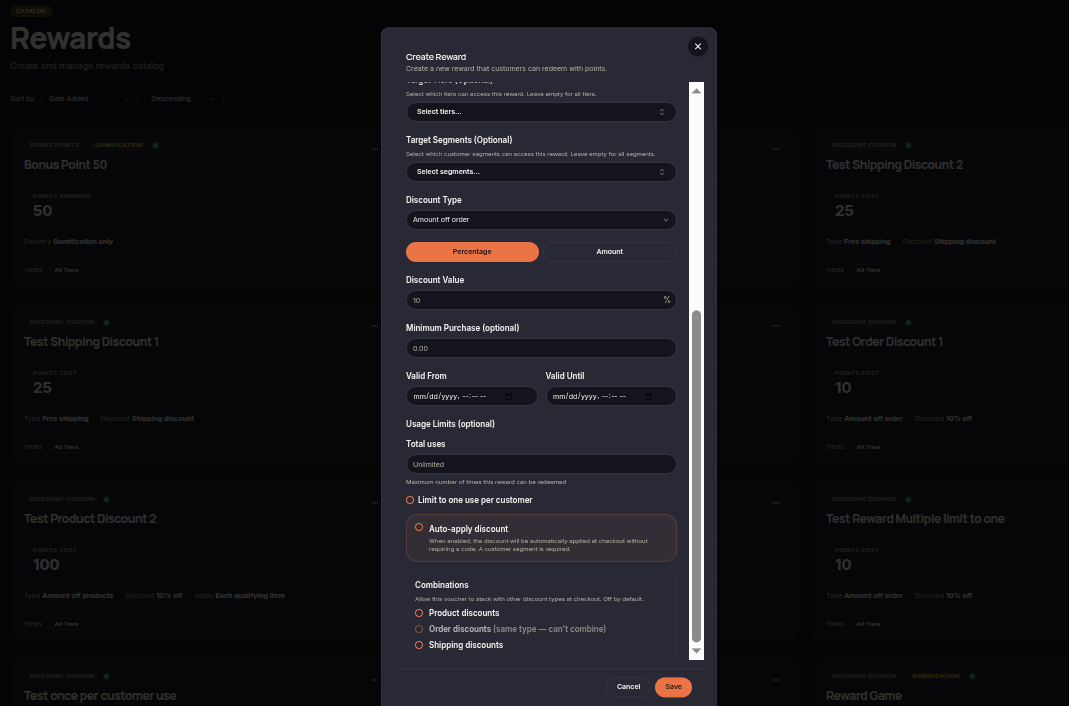
To create a new reward:
- Open Rewards.
- Click Create Reward.
- Enter the reward name, description, and voucher description.
- Select the reward type.
- Configure the points cost and reward status.
- Select target tiers or customer segments if needed.
- Configure discount settings and validity periods.
- Set usage limits if required.
- Click Save.
Available as a Gamification Prize
Enable Available as a Gamification Prize if the reward should only be distributed through Spin Wheel or Reveal Cards.
When enabled:
- The reward can be used in Gamification campaigns.
- The reward is removed from the customer redemption catalog.
- Customers cannot redeem the reward directly using points.
Combinations
Use Combinations to determine whether the reward voucher can be combined with other discounts during checkout.
Available options include:
- Product Discounts
- Order Discounts
- Shipping Discounts
If disabled, the reward voucher can only be used by itself and cannot be stacked with other discounts.