
Configure a card
Set the card's name, active window, artwork, and reward mode. A fixed card uses its selected reward; a random card draws from eligible gamification rewards. Configure no-win behavior and card-specific reward weights where available.
Control play availability
Review per-customer limits, daily limits, cooldown, total available count, and optional minimum purchase. The total available count caps plays, not only prizes: a losing reveal still consumes a play.
Reward stock and customer eligibility are checked at play time. Test a win, a no-win result, and an exhausted limit before activating a campaign. Changing a campaign later does not rewrite the outcome already recorded in play history.
The New Card form is used to create and manage reveal card campaigns.
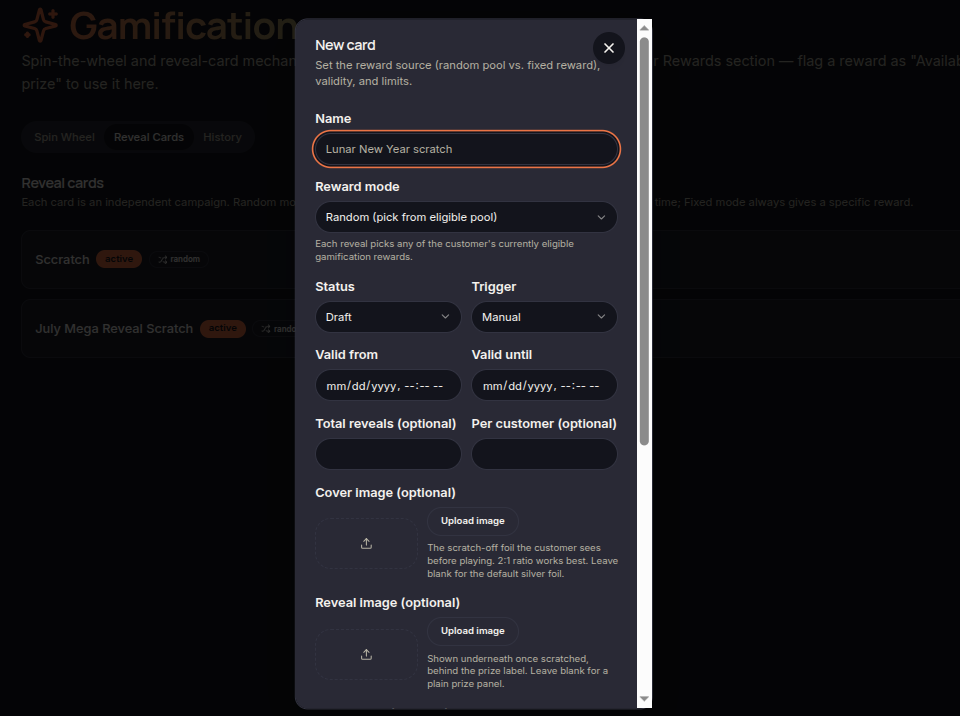
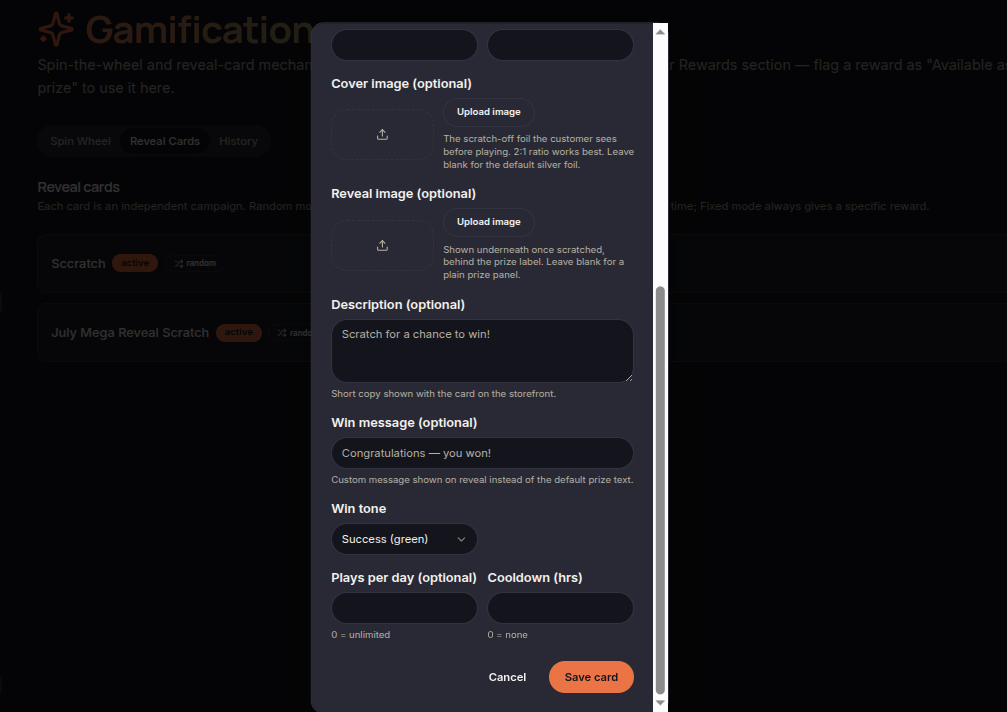
Basic Information
Merchants can configure:
- Name
- Status
- Trigger
- Reward mode
Availability Period
Cards can be scheduled using:
- Valid From
- Valid Until
This allows campaigns to run during specific promotional periods.
Usage Limits
Optional limits include:
- Total reveals
- Per customer
- Plays per day
- Cooldown
Visual Customization
Merchants can upload:
- Cover image
- Reveal image
These images control how the card appears before and after being revealed.
Customer Messaging
Merchants can customize:
- Description
- Win message
- Win tone
These messages are displayed to customers during gameplay.
Save Card
Click Save Card to create or update a reveal card campaign.