How to Complete Your Profile
- Log in to your customer account.
- Click the Profile icon in the top-right corner of the store.
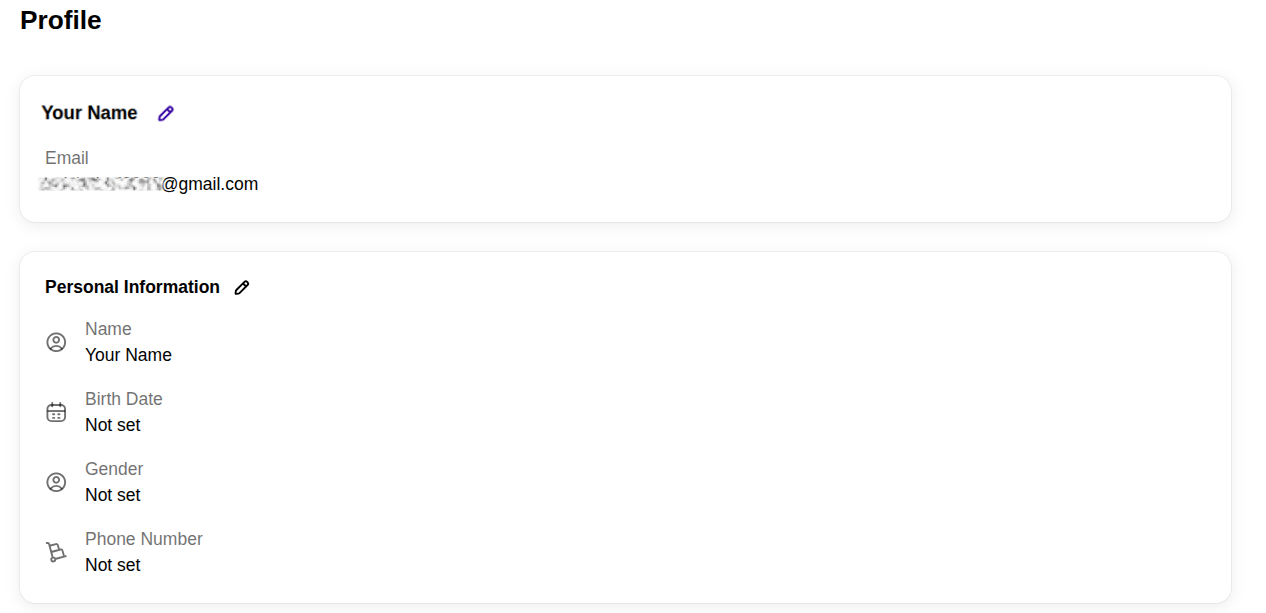
- Open the Profile page.
- Scroll down to the Profile and Personal Information section.
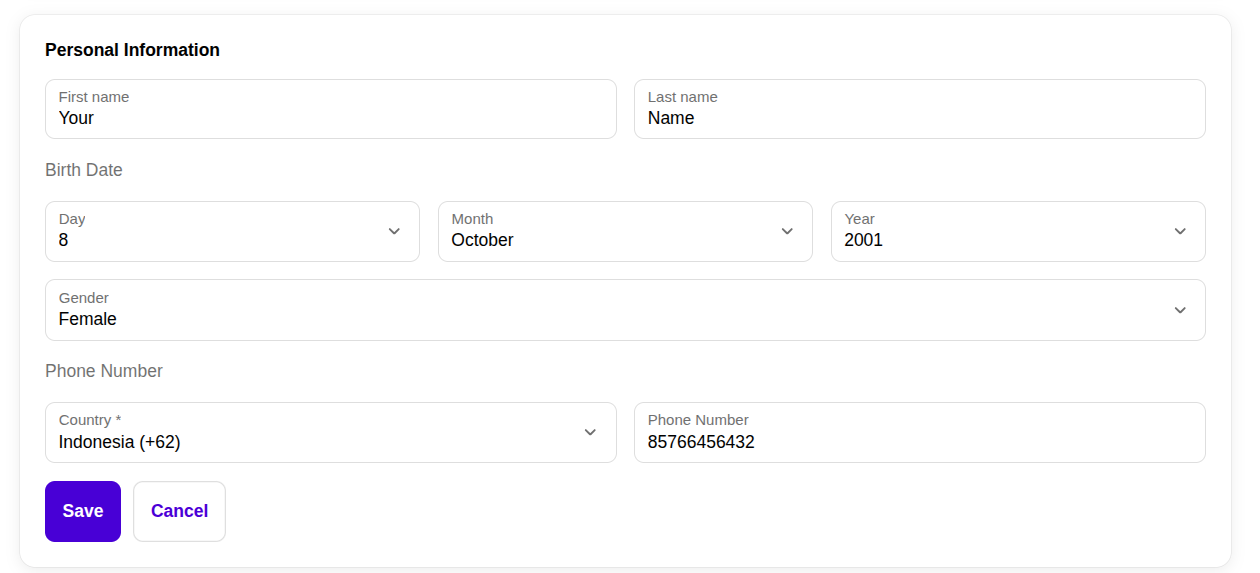
- Click the Edit (✏️) button.
- Fill in the required information, such as:
- First Name
- Last Name
- Birth Date
- Gender
- Phone Number
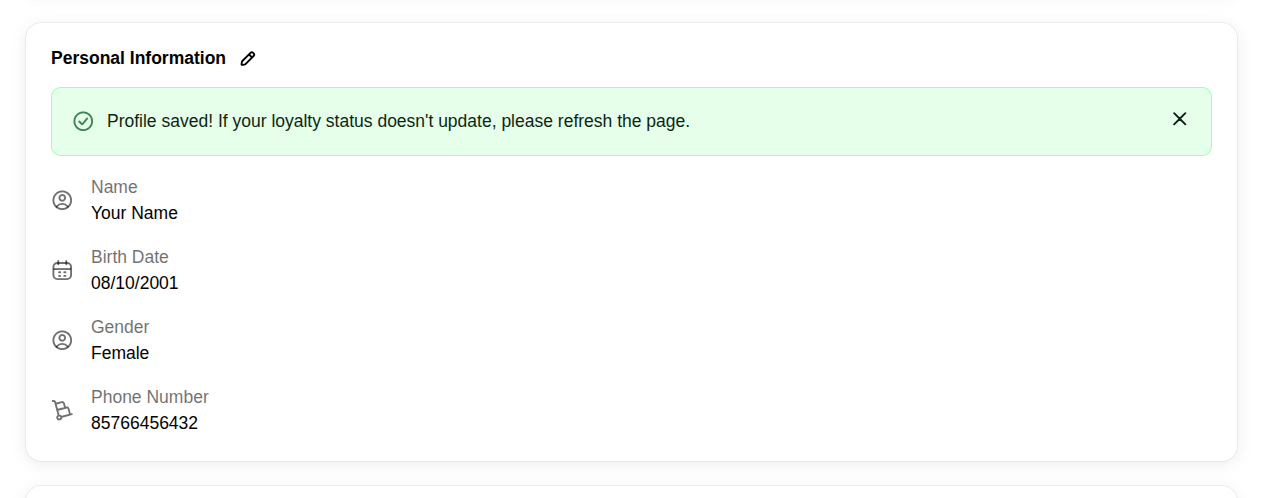
- Click Save to update your profile.
If your profile is successfully updated, your loyalty status and rewards will be refreshed automatically.
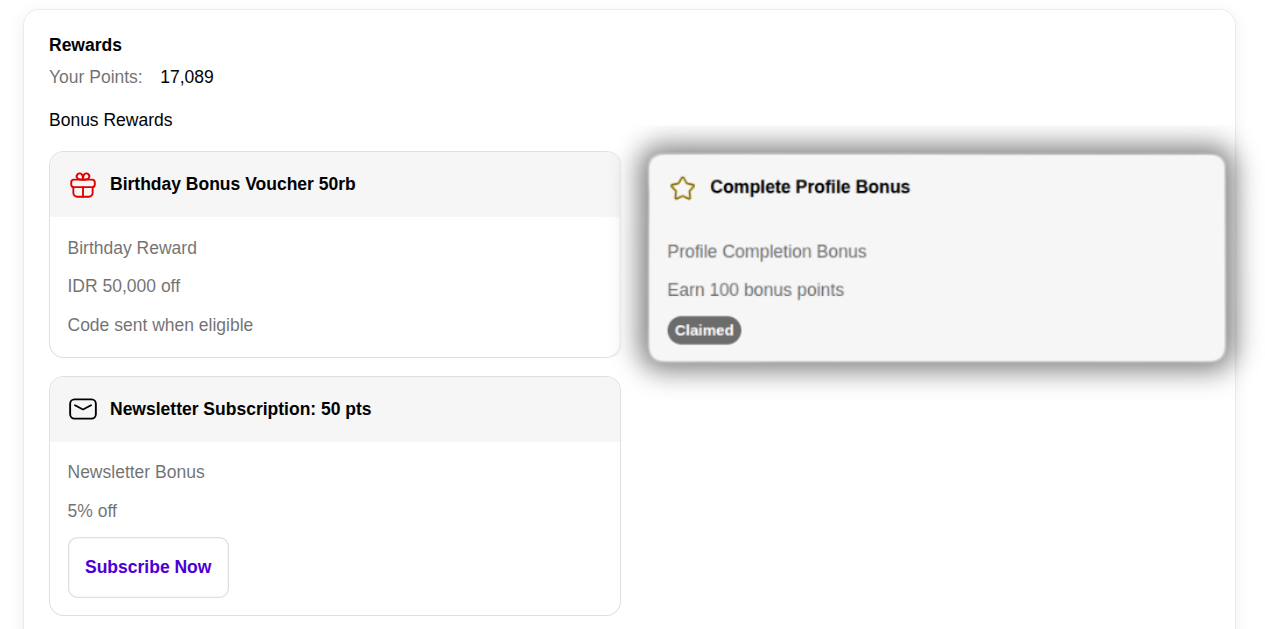
Claiming the Complete Profile Bonus
After completing your profile:
- Stay on the Profile page.
- Scroll to the Rewards section.
- Locate the Complete Profile Bonus card.
- If eligible, the reward will be claimed automatically or marked as Claimed, depending on the merchant's loyalty program configuration.
The awarded bonus points will be added to your loyalty account automatically.
Notes
- The Complete Profile Bonus is only available if the merchant has enabled this reward in their loyalty program.
- The merchant may choose to provide:
- Loyalty Points
- Voucher
- Store Credit
- Customers can usually receive this reward only once.
- Make sure all required profile information is completed before saving.
- The number of bonus points awarded depends on the merchant's loyalty program settings.