
Rewards
Create and manage rewards that customers can redeem using loyalty points.
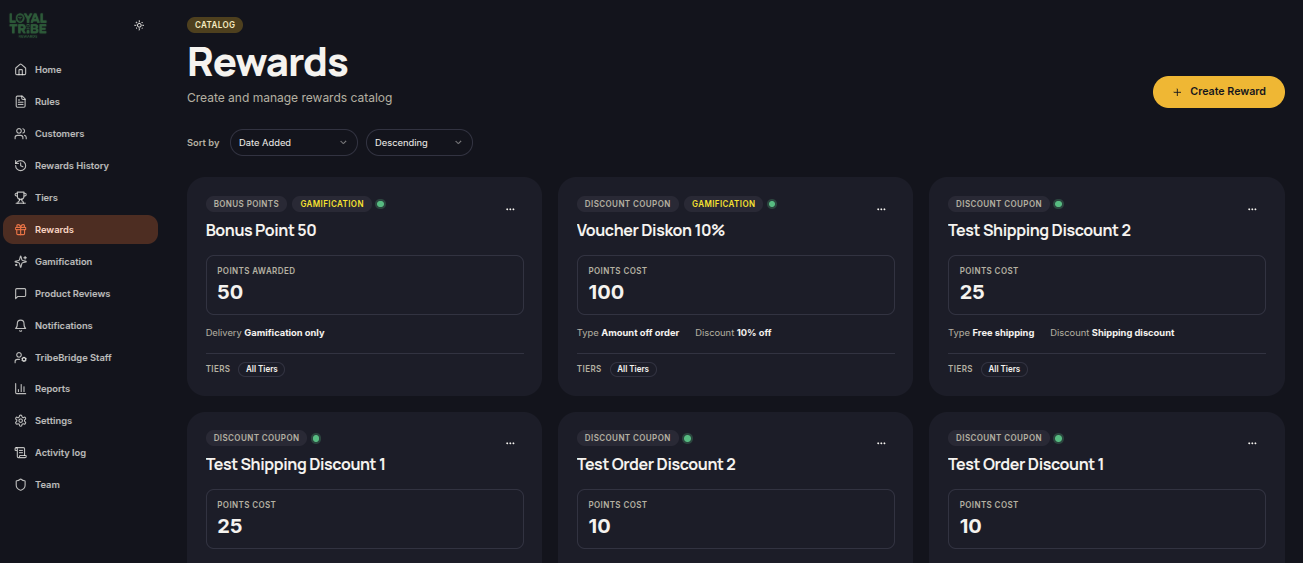
Rewards
The Rewards menu is used to create rewards that customers can redeem using points earned through the loyalty program.
Merchants can define reward types, point requirements, eligible customers, validity periods, and usage limits.
Create a Reward
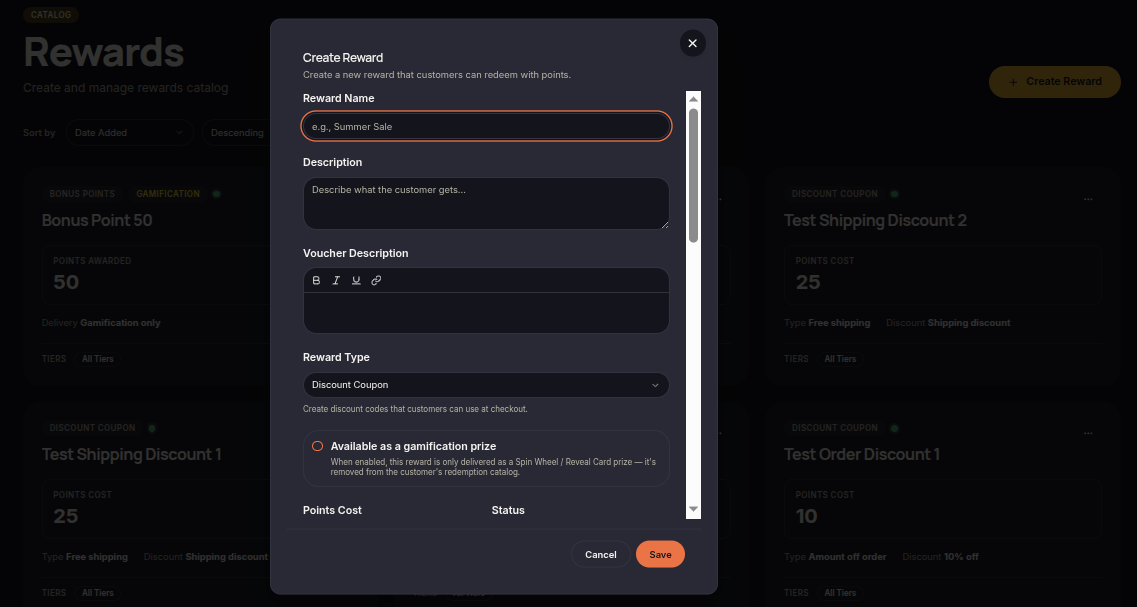
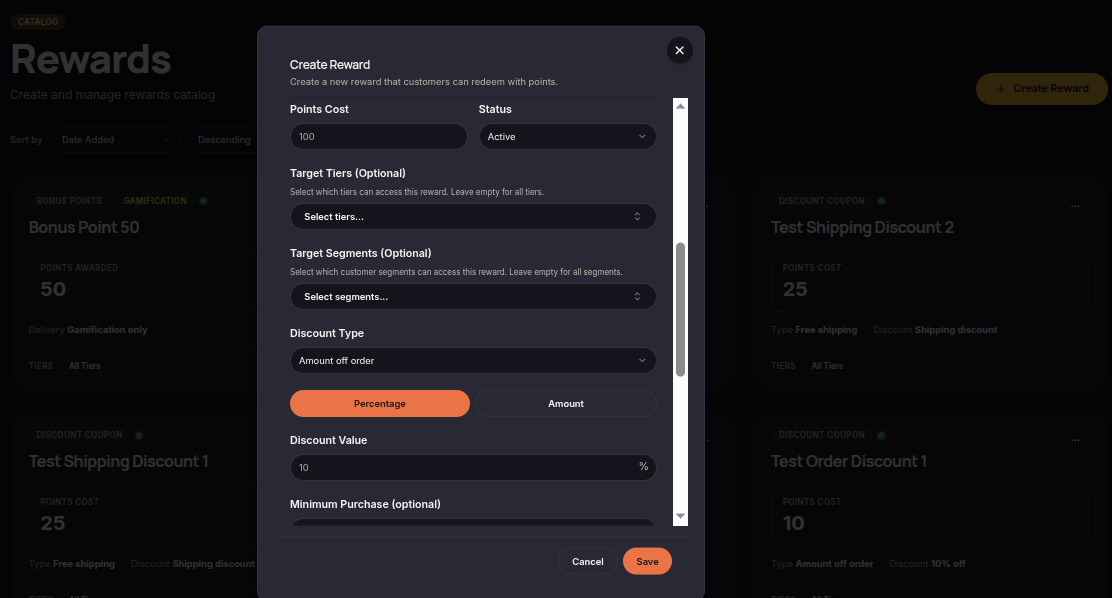
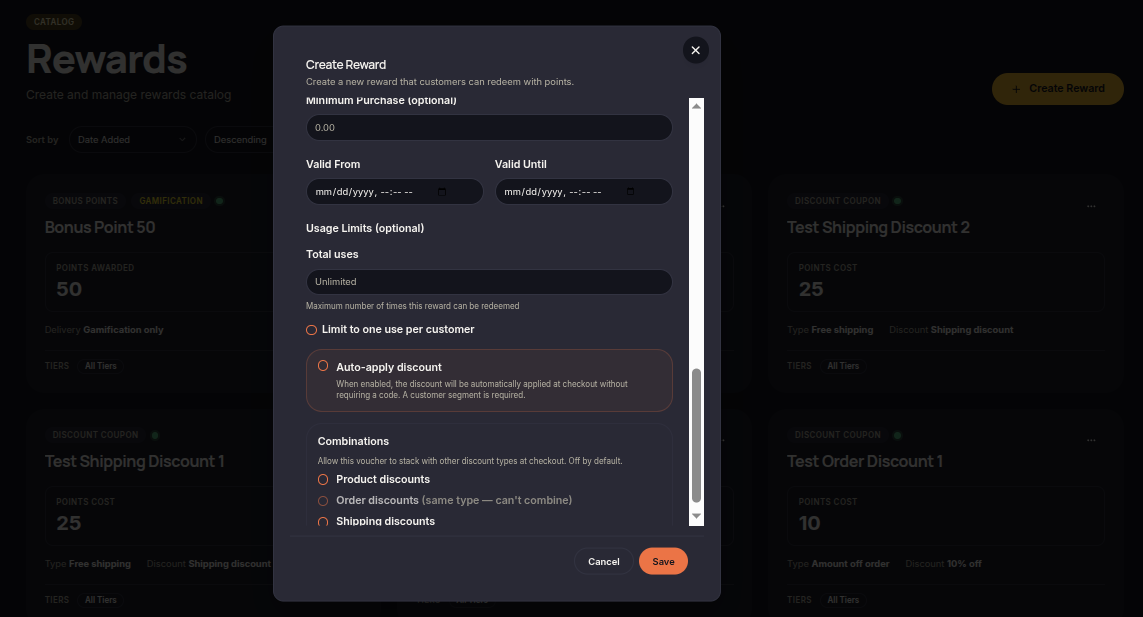
Merchants can create rewards that customers may redeem through the loyalty program.
To create a reward:
- Open the Rewards menu.
- Click Create Reward or Add Reward.
- Enter the reward name and description.
- Select the reward type.
- Set the required points cost.
- Configure customer eligibility if needed.
- Define validity and usage limits.
- Click Save.
Reward Types
LoyalTribe supports multiple reward types for loyalty programs.
- Discount Coupon – Provides customers with a discount coupon.
- Bonus Points – Awards additional loyalty points.
Gamification Rewards
Rewards can also be used as prizes in Gamification features such as Spin Wheel and Reveal Cards.
To use a reward in Gamification:
- Open the reward.
- Enable Available as a Gamification Prize.
- Save the changes.
The reward will become available within the Gamification module.
Manage Rewards
Merchants can manage existing rewards as needed.
- Update reward information.
- Change reward status.
- Adjust point requirements.
- Configure tier or segment eligibility.
- Update validity periods.
- Remove unused rewards.
Notes
Make sure the required points cost reflects the value of the reward to maintain a balanced and engaging loyalty program.