
Tiers
Create and manage customer membership tiers within your loyalty program.
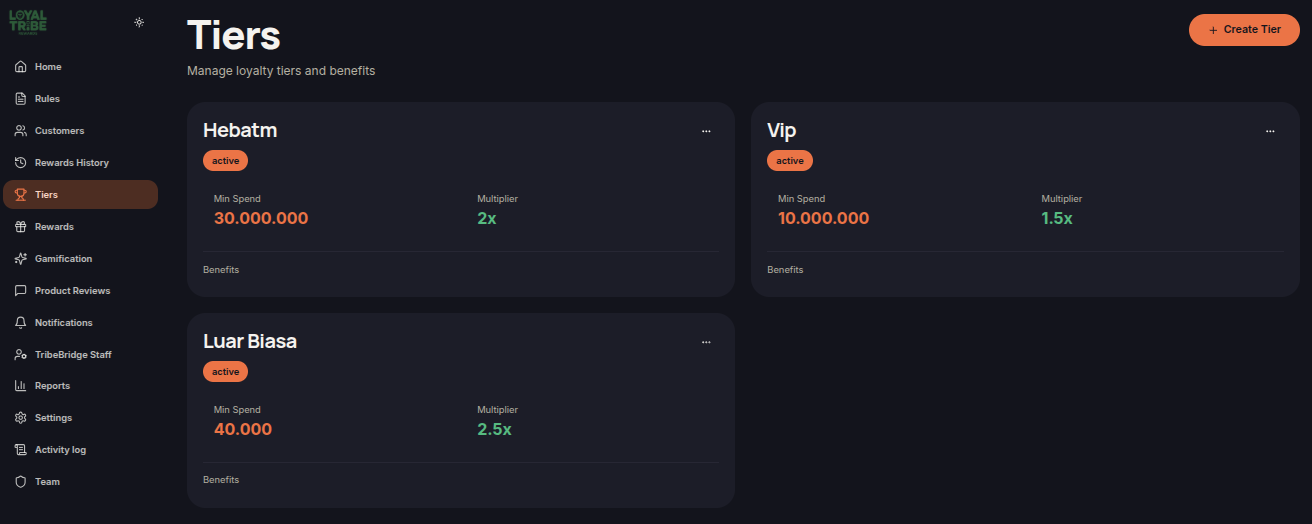
Tiers
The Tiers menu allows merchants to create and manage membership levels within the loyalty program. Each tier can have different requirements, benefits, and point multipliers to encourage customer engagement and retention.
Create a Tier
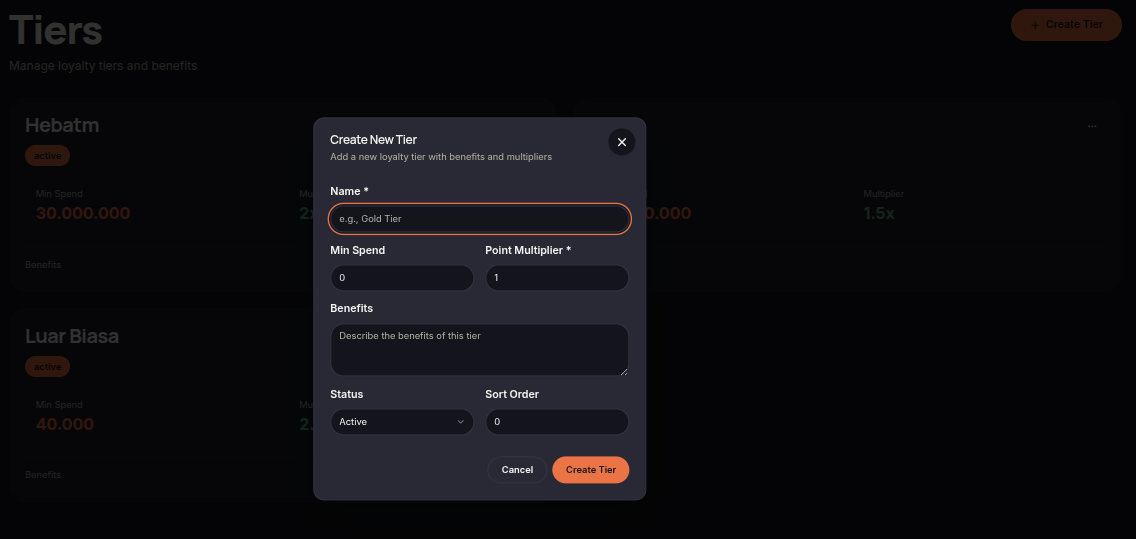
Merchants can create new tiers to group customers based on their spending activity and loyalty status.
To create a tier:
- Open the Tiers menu.
- Click Create New Tier.
- Enter the tier name.
- Define the minimum spending requirement.
- Set the point multiplier.
- Add a description of the tier benefits.
- Set the tier status.
- Click Create Tier to save.
Tier Benefits
Each tier can provide different benefits to customers, encouraging them to remain active and progress to higher membership levels.
- Faster point accumulation through point multipliers.
- Access to exclusive rewards.
- Special bonuses or benefits for eligible customers.
- A more personalized loyalty experience.
Manage Tiers
Merchants can update and manage existing tiers whenever program requirements change.
- Update tier names and descriptions.
- Modify minimum spending requirements.
- Adjust point multipliers.
- Activate or deactivate tiers.
- Change tier display order.
Notes
Ensure that each tier offers clear and meaningful benefits so customers are motivated to progress through the loyalty program.