Rules
Configure activities that grant points or rewards to customers.
Rules
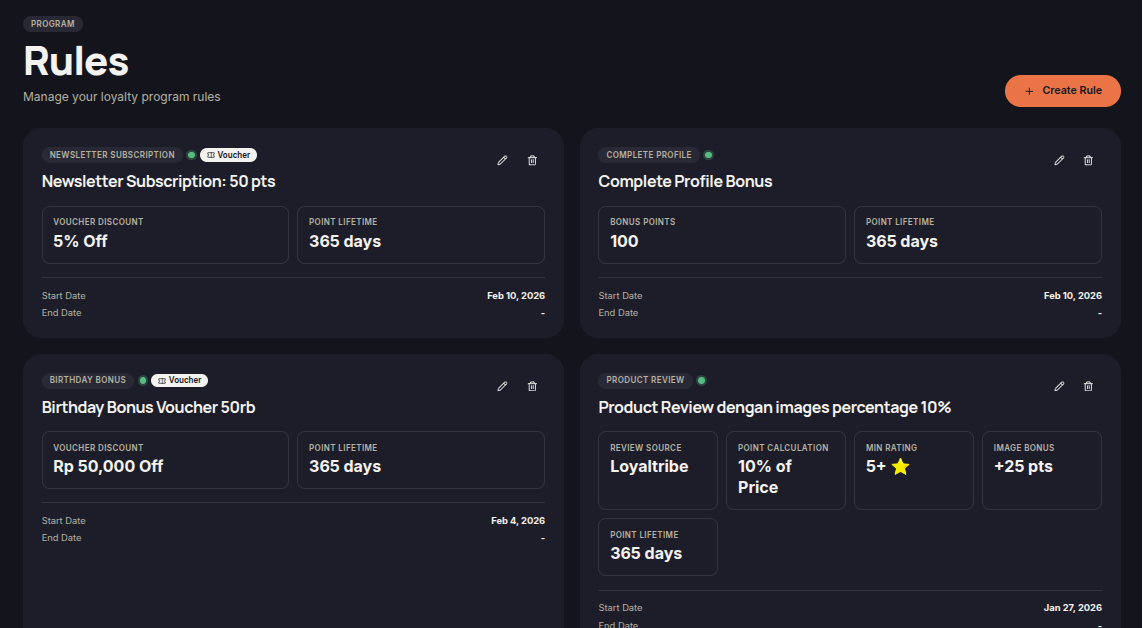
The Rules menu allows merchants to automate customer rewards based on specific loyalty program activities.
Rules can be used to award points, vouchers, store credits, and other rewards whenever customers meet defined conditions.
Create a Rule
Merchants can create rules to define when and how rewards are issued to customers.
To create a rule:
- Open the Rules menu.
- Click Create Rule.
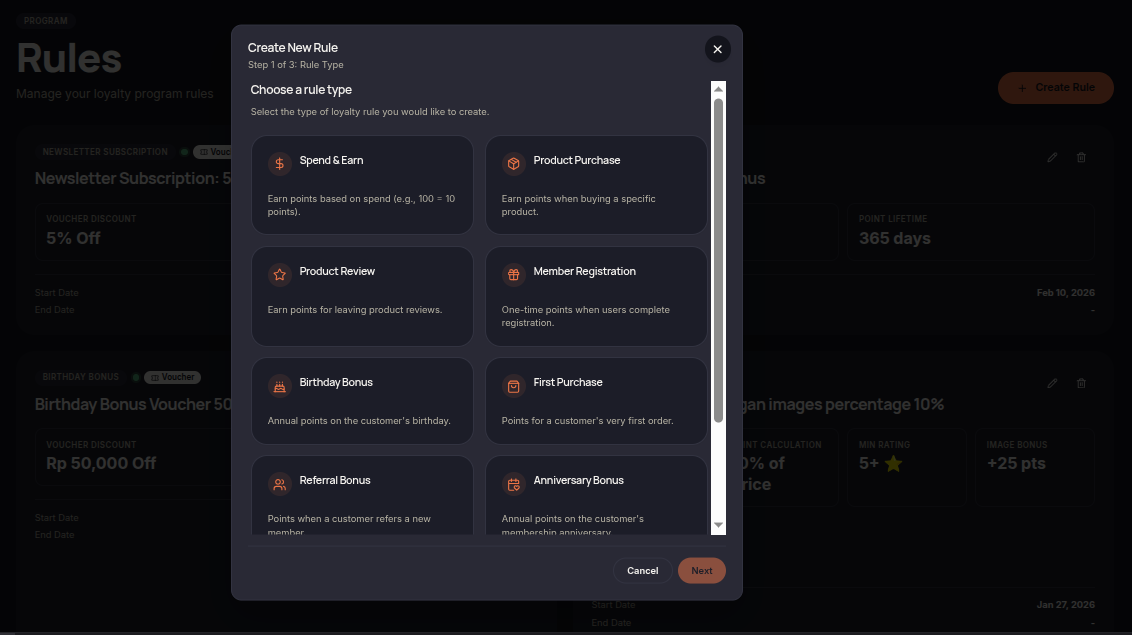
- Choose a rule type.
- Enter a rule name.
- Select a trigger.
- Choose the reward type.
- Configure any conditions or limits.
- Confirm the rule.
Reward Types
Each rule can issue different reward types depending on the loyalty program requirements.
- Points
- Coupons
- Store Credits
- Bonus Rewards
Manage Rules
Merchants can manage all existing rules from the Rules page.
- View rule details.
- Update rule settings.
- Enable or disable rules.
- Delete unused rules.
- Monitor rule performance.
Available Rule Types
- Spend & Earn — Awards points based on the total transaction amount spent by customers.
- Product Purchase — Awards points when customers purchase specific products defined by the merchant.
- Product Review — Awards points to customers who submit product reviews or feedback.
- Member Registration — Awards points when customers successfully register as loyalty program members.
- Birthday Bonus — Automatically grants bonus points on a customer's birthday.
- First Purchase — Awards additional points when a customer completes their first purchase.
- Referral Bonus — Rewards customers who successfully refer new customers to join or make a purchase.
- Anniversary Bonus — Awards points on special anniversary dates, such as the customer's membership anniversary.
- Complete Profile — Awards points when customers complete the required profile information.
- Newsletter Subscription — Awards points when customers subscribe to newsletters or promotional communications.
Merchants can create, modify, or disable rules based on their loyalty program requirements.