
Activity Log
View activity history and system changes performed within the Merchant Dashboard.
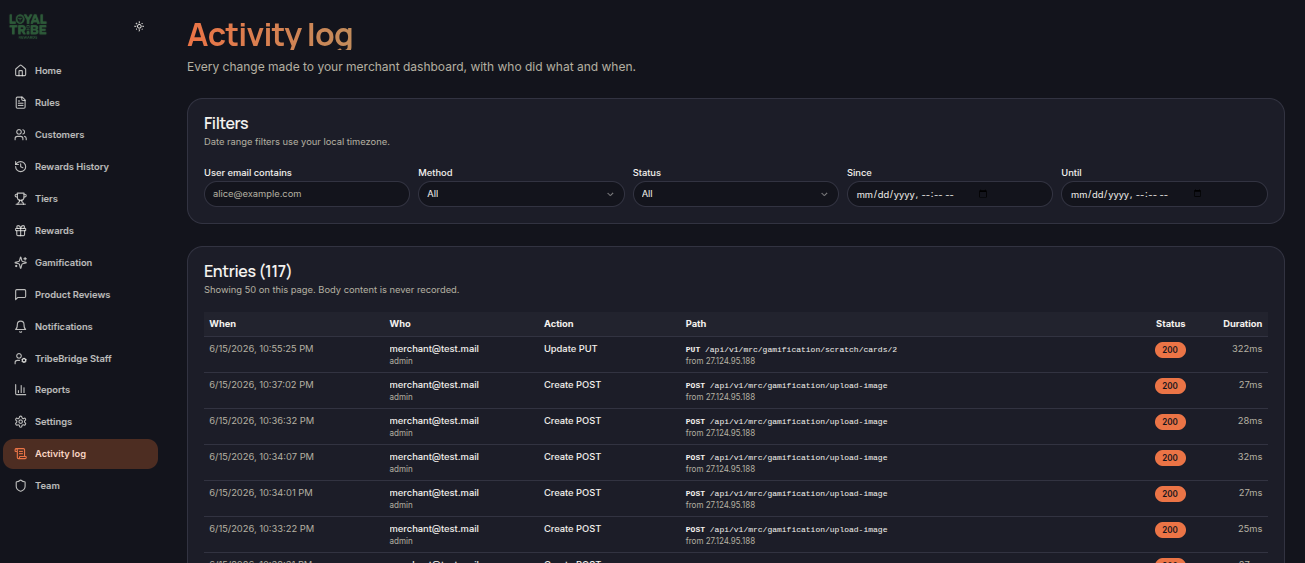
Activity Log
The Activity Log menu allows merchants to monitor activities performed within the Merchant Dashboard. This feature helps track system changes, identify who performed specific actions, and support auditing and troubleshooting processes.
Main Features
- View user activity history.
- Monitor changes made within the system.
- Identify when activities occurred.
- Identify which user performed an action.
- View request status and execution duration.
Activity Filters
Merchants can filter activity records using the following parameters:
- User Email – Search activities by user email address.
- Method – Filter by request type such as GET, POST, PUT, or DELETE.
- Status – Filter by request status.
- Since – Specify the start date.
- Until – Specify the end date.
Displayed Information
Each activity record includes:
- When – The date and time the activity occurred.
- Who – The user who performed the action.
- Action – The action performed.
- Path – The endpoint or feature accessed.
- Status – The request result status.
- Duration – The processing time.
Notes
The Activity Log stores activity metadata for auditing purposes. Request body content is never recorded.