
Enrollment and access
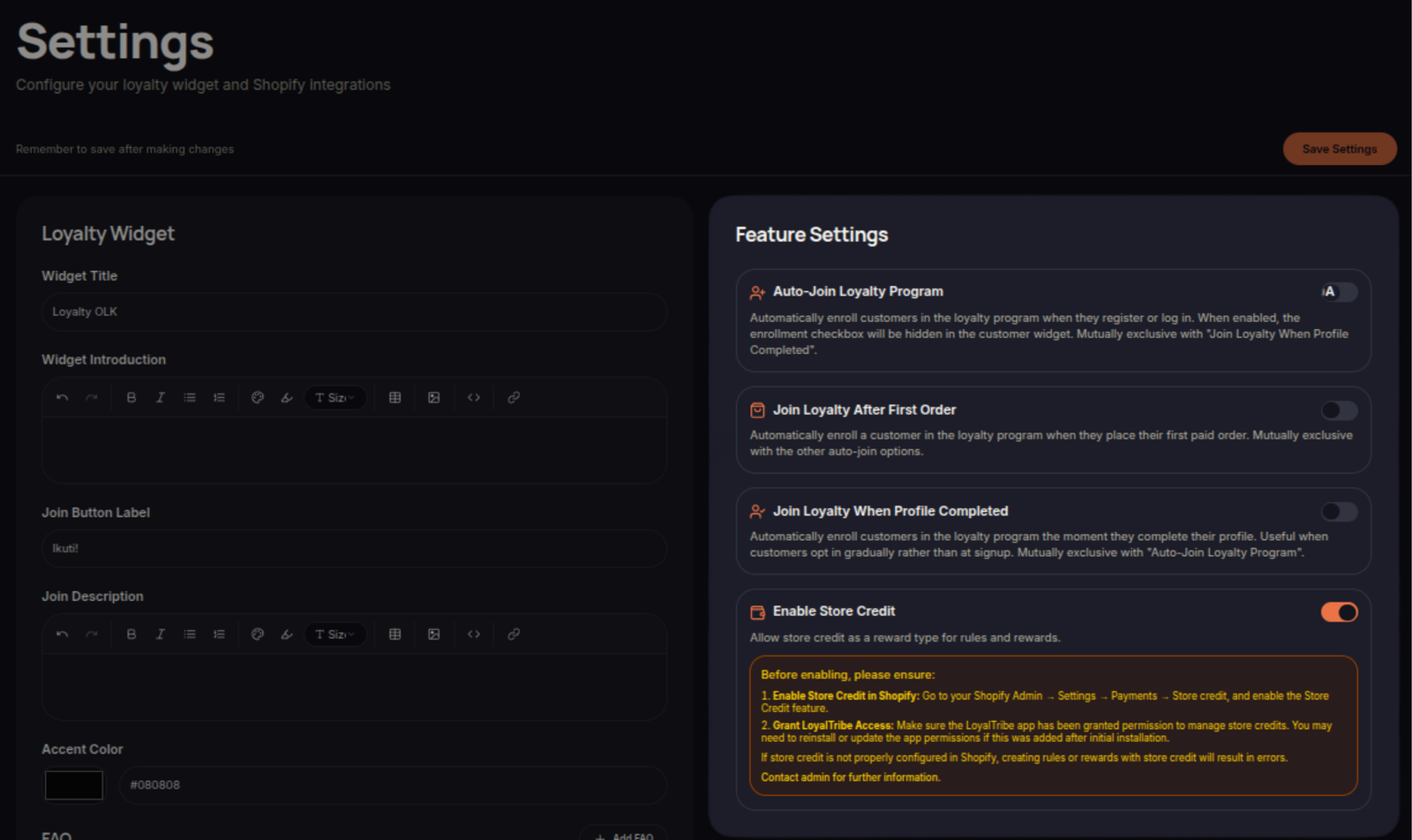
Automatic enrollment, joining after a first order, and joining after profile completion remain separate merchant settings. Required enrollment questions are checked when their form is submitted; automatic enrollment can be followed by a request to complete that form.
For billing-enabled shops, new enrollment depends on current entitlement and the member allowance. A Shopify plan or an eligible administrator trial can supply that entitlement. An expired administrator trial also locks protected setup changes while preserving data and read access.
Optional program behavior
Membership periods and inactivity policies are configured in Tiers and remain opt-in. Recurring benefits are configured on eligible free coupon rewards. Enabling store credit does not make it available on every commerce platform.
The Feature Settings section allows merchants to control how customers join and interact with the loyalty program.
These settings help automate enrollment and enable additional loyalty features without requiring manual administration.
Customer Enrollment Settings
Merchants can configure how customers are enrolled into the loyalty program.
Available enrollment options may include:
- Auto Join Loyalty Program – Automatically enroll customers into the loyalty program.
- Join After First Order – Enroll customers after completing their first purchase.
- Join When Profile Completed – Enroll customers after completing their customer profile.
These options help streamline the onboarding process and increase loyalty program participation.
Store Credit Feature
The Store Credit feature allows merchants to issue store credits as rewards within the loyalty program.
When enabled, store credits can be distributed through:
- Loyalty Rules
- Birthday Rewards
- Anniversary Rewards
- Referral Programs
- Other eligible loyalty activities
Customers can use store credits according to the configured loyalty program rules.
Managing Feature Settings
Review your feature settings regularly to ensure they align with your loyalty strategy and customer experience goals.
Save Changes
Click Save Settings after making changes to apply the updated configuration.