
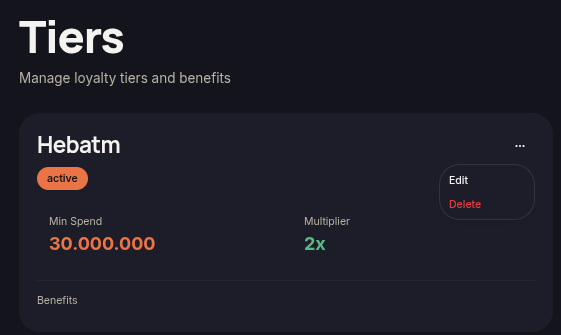
The Delete Tier feature allows merchants to permanently remove a tier from the loyalty program. Use this option when a tier is no longer relevant or needs to be replaced with a new configuration.
Steps to Delete a Tier
- Open the Tiers menu.
- Find the tier you want to remove.
- Click the ⋯ (More Options) icon on the tier card.
- Select Delete.
- Confirm the deletion when prompted.
- The tier will be removed from the tier list.
Additional Information
- Make sure the tier is no longer required before deleting it.
- Deleting a tier may affect customers currently assigned to that tier.
- Review your remaining tier structure before confirming the deletion.