
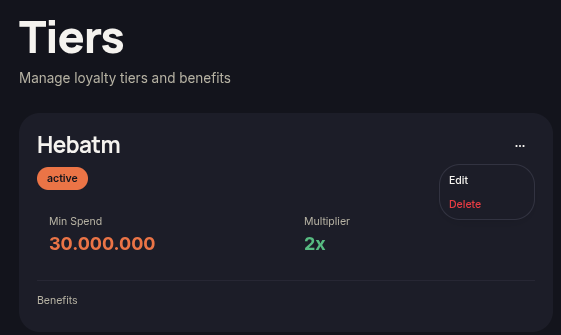
The Edit Tier feature allows merchants to modify tier configurations that have already been created. Any saved changes will be applied immediately to the loyalty program.
Steps to Edit a Tier
- Open the Tiers menu.
- Locate the tier you want to update.
- Click the ⋯ (More Options) icon on the tier card.
- Select Edit.
- Update the required information, such as:
- Name
- Min Spend
- Point Multiplier
- Benefits
- Status
- Sort Order
- Click Update Tier to apply the updates.
Note
- Tier name changes will be reflected immediately in both the dashboard and customer storefront.
- The Point Multiplier determines how many points customers earn within that tier.
- Use Sort Order to control the display order of tiers.