
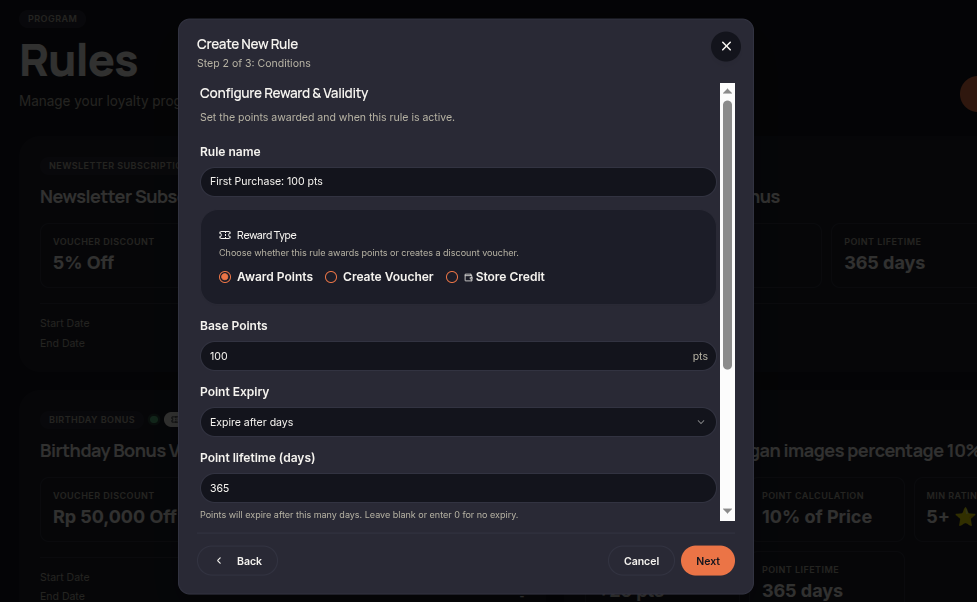
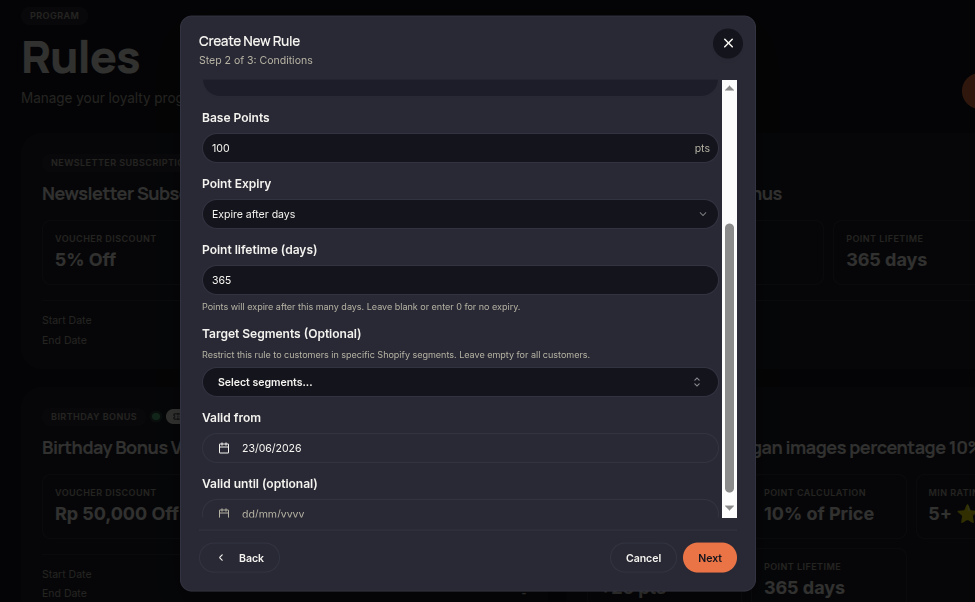
The First Purchase rule rewards customers when they complete their first qualifying order. This incentive can encourage repeat purchases and improve customer retention.
Steps to Create a First Purchase Rule
- Open the Rules menu.
- Click Create Rule.
- Select First Purchase.
- Choose the reward type (Points or Voucher).
- Set the reward amount customers will receive after their first purchase.
- (Optional) Configure tier or segment restrictions.
- Set the rule validity period if required.
- Click Next to review the configuration.
- Click Confirm rule to save and activate the rule.
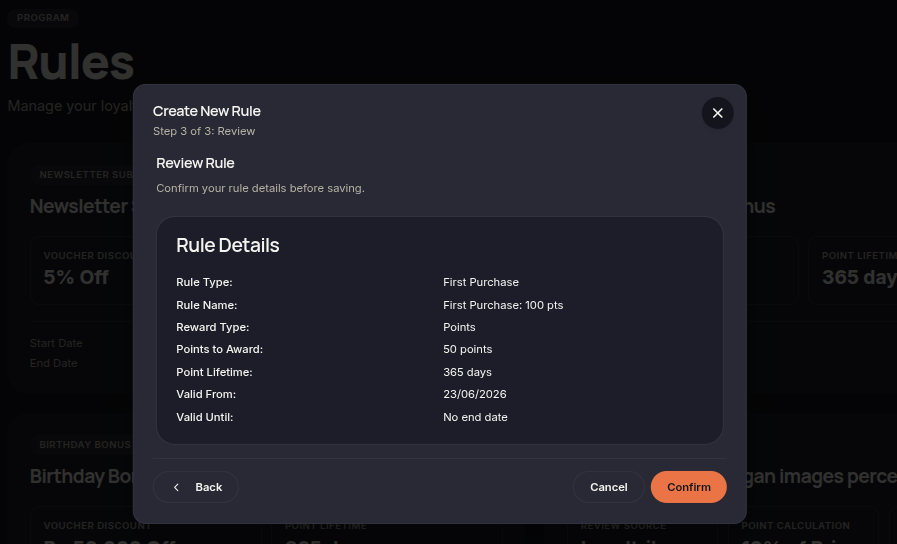
Additional Information
- Rewards are issued only once for the customer's first qualifying purchase.
- This rule is commonly used to improve customer retention.
- Rewards are automatically granted after the first order is successfully completed.