
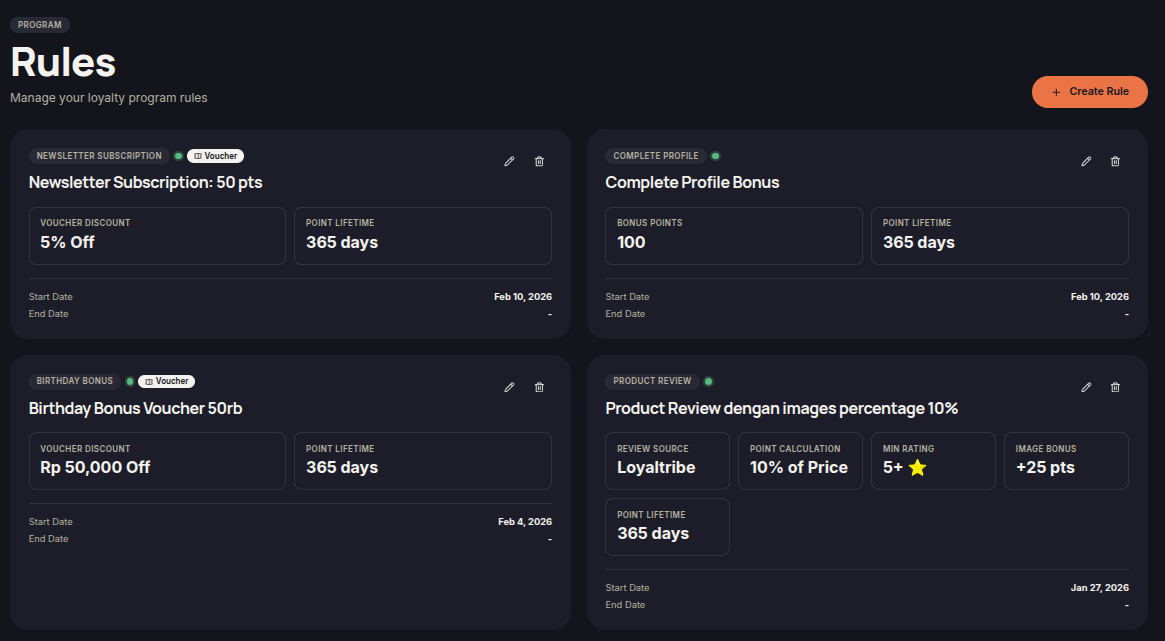
Choose the right earning rule
Open Rules to create or edit a rule. Choose the activity, reward, eligible tiers or customer segments, and active dates. An active rule still needs its conditions to be met before it awards anything.
- Spend & Earn: purchase-based points.
- Order Bonus: a bonus on a qualifying paid order.
- Product Purchase: rewards for selected products.
- Brand Birthday: purchase-based bonus points on your brand's anniversary.
- Member Registration, First Purchase, Birthday, Anniversary, Referral, Product Review, Complete Profile, Newsletter Subscription, and Enrollment Survey: rewards for the corresponding customer activity.
Reward types and restrictions
Supported activity rules can award points, vouchers, or store credit. Spend & Earn and Brand Birthday support points only. Store credit also needs the merchant feature and platform support. Campaign-frequency and product-list options support points or voucher codes, with additional restrictions described in their guides.
Review the reward type when editing: a voucher needs its discount details, and store credit needs a positive amount. Saving unused fields does not turn a points rule into a voucher rule.
The Rules menu allows merchants to create and manage loyalty rules that automatically reward customers when they complete specific actions. Rewards may include points, vouchers, store credits, or other loyalty benefits depending on the rule configuration.
By using rules, merchants can build a more engaging loyalty program and encourage customers to interact more frequently with their store.
Available Rule Types
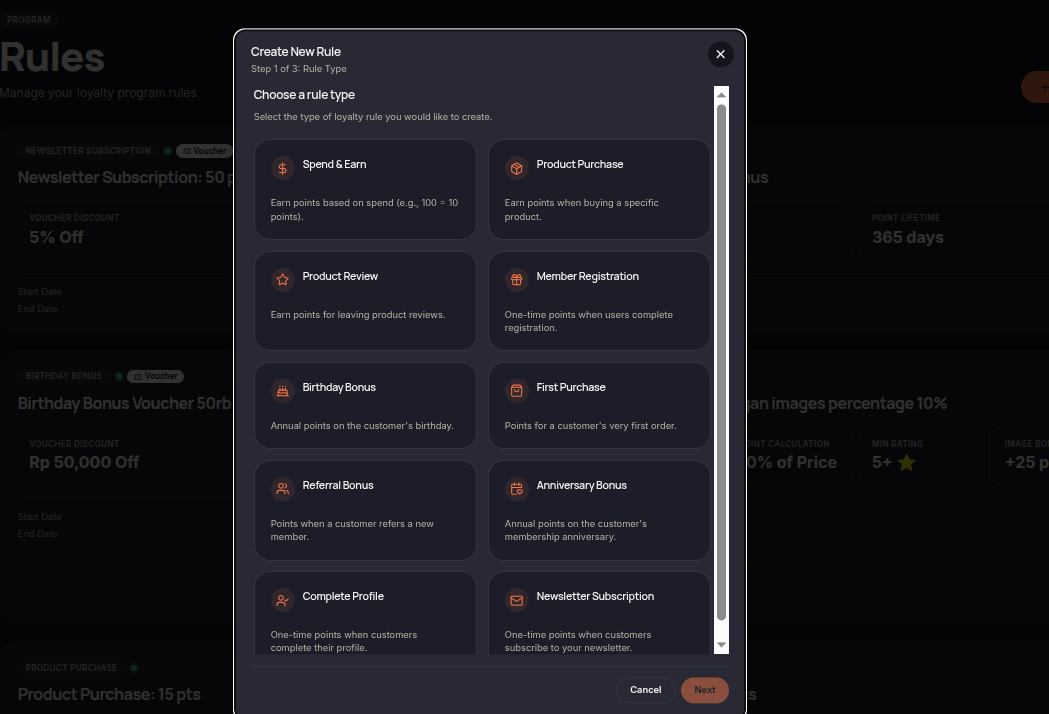
- Spend & Earn — Reward customers based on their spending amount.
- Product Purchase — Reward customers for purchasing specific products.
- Product Review — Reward customers for submitting product reviews.
- Member Registration — Reward customers when they join the loyalty program.
- Birthday Bonus — Reward customers on their birthday.
- First Purchase — Reward customers after completing their first order.
- Referral Bonus — Reward customers for successfully referring new customers.
- Anniversary Bonus — Reward customers on their membership anniversary.
- Complete Profile — Reward customers for completing their profile information.
- Newsletter Subscription — Reward customers for subscribing to newsletters.
How to Manage Rules
- Open the Rules menu.
- Review the available rules.
- Click Create Rule to create a new rule.
- Select the desired rule type.
- Configure the rewards and requirements.
- Save the configuration to activate the rule.
Additional Information
- Each rule can have different rewards and requirements.
- Rules can be restricted by tiers, segments, or validity periods.
- Rewards are automatically granted when customers meet the rule conditions.
- Merchants can create multiple rules to support different loyalty campaigns.