
Shopify Webhooks
Monitor and manage Shopify webhook connections used to synchronize store events with the loyalty platform.
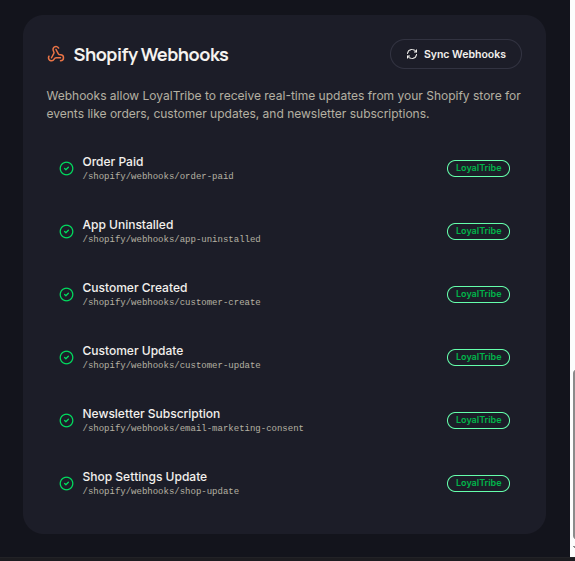
The Shopify Webhooks section displays the webhook subscriptions used to connect Shopify events with the loyalty platform.
Webhooks enable automatic data synchronization whenever specific actions occur in your Shopify store.
Webhook Events
The system subscribes to various Shopify events to keep customer, order, and store information synchronized.
Examples of webhook events include:
- Order Paid
- App Uninstalled
- Customer Created
- Customer Updated
- Newsletter Subscription
- Shop Settings Update
These events allow the loyalty platform to react automatically to changes in your Shopify store.
Webhook Status
The Shopify Webhooks page allows merchants to review the webhook configuration currently registered for their store.
Monitoring webhook status helps ensure that:
- Customer data remains synchronized.
- Loyalty rewards are processed correctly.
- Order-related activities trigger the appropriate loyalty actions.
- Store updates are reflected in the platform.
Synchronizing Webhooks
If webhook configurations need to be updated or restored, merchants can use the Sync Webhooks option.
This action re-establishes the required webhook subscriptions between Shopify and the loyalty platform.
Troubleshooting
If loyalty activities are not updating as expected, merchants should verify that Shopify webhooks are properly synchronized and active.
Reviewing webhook status can help identify integration or synchronization issues.