
Welcome Email
Customize the email sent to customers when they first join your loyalty program.
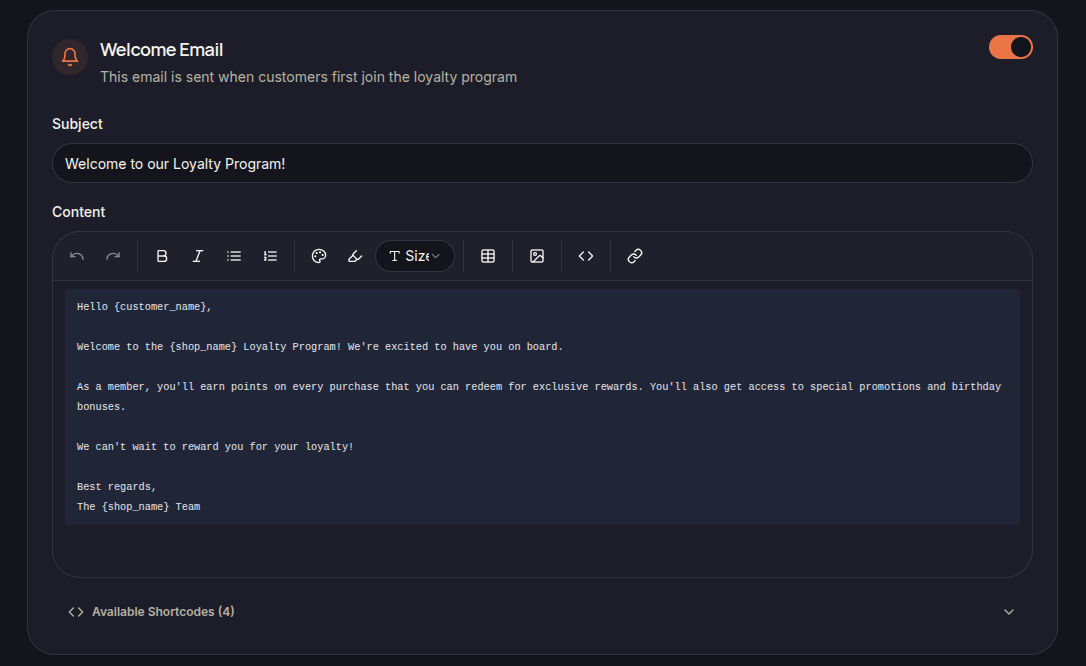
The Welcome Email is automatically sent when a customer successfully joins the loyalty program.
This email introduces customers to the program and helps them understand the benefits of membership.
Email Content
The template includes:
- Subject
- Email Content
- Available Shortcodes
Merchants can customize both the subject line and message content.
Using Shortcodes
Shortcodes can be used to automatically insert customer and store information into the email.
Examples include:
- {customer_name}
- {shop_name}
Available shortcodes are displayed within the email editor.
Best Practices
Consider including:
- A welcome message
- Loyalty program benefits
- Point earning information
- Reward redemption opportunities
Save Changes
Click Save Settings to apply changes to the email template.