
Shopify Store
View Shopify store information and monitor synchronization status between your store and the loyalty platform.
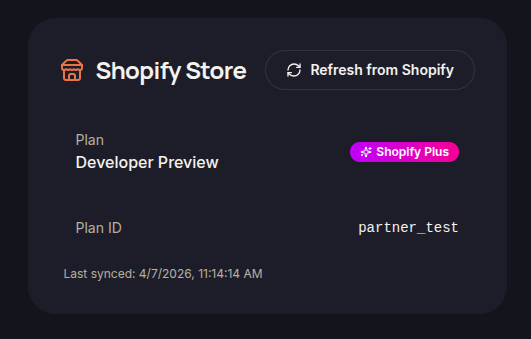
The Shopify Store section displays information about the connected Shopify store and its current integration status with the loyalty platform.
This information helps merchants verify that their store connection is active and operating correctly.
Store Information
The Shopify Store page provides key details about the connected store, including:
- Store Name
- Shopify Plan
- Plan ID
- Connected Store Information
These details help identify the store currently linked to the Merchant Dashboard.
Synchronization Status
The system records synchronization activity between Shopify and the loyalty platform.
Merchants can review information such as:
- Last Sync Date
- Integration Status
- Store Connection Details
Monitoring synchronization status helps ensure customer, order, and loyalty data remain up to date.
Refresh Store Information
If store information appears outdated, merchants can use the available refresh option to retrieve the latest data from Shopify.
Refreshing the connection helps verify that the Merchant Dashboard is displaying the most current store information.
Integration Monitoring
Regularly reviewing store information and synchronization status can help merchants:
- Confirm successful Shopify integration
- Verify data synchronization
- Troubleshoot connection-related issues
- Ensure loyalty features function correctly