
Points Expiration Emails
Configure reminder emails that notify customers before their loyalty points expire.
Points Expiration Emails help merchants remind customers to use their loyalty points before they expire.
These automated notifications encourage customers to redeem their points and stay engaged with the loyalty program.
Expiration Warning Email
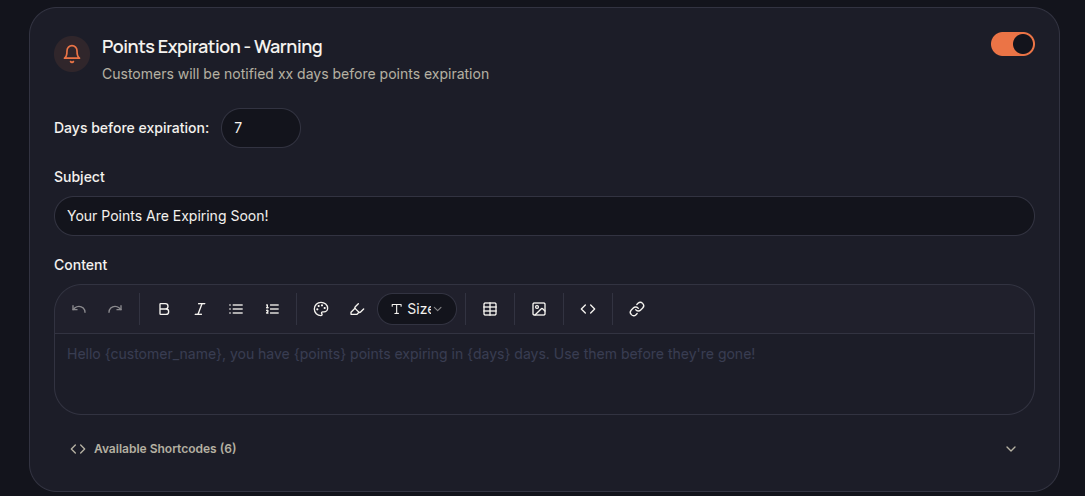
The Points Expiration – Warning email is sent a specified number of days before points expire.
Merchants can configure:
- Days Before Expiration
- Subject
- Email Content
- Available Shortcodes
This reminder gives customers advance notice to redeem their points before they are removed from their account.
Last Chance Email
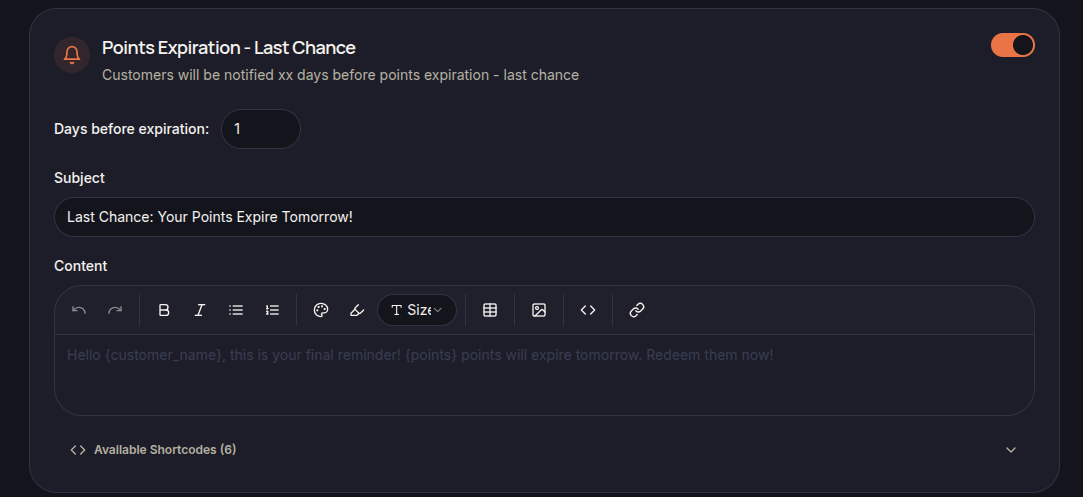
The Points Expiration – Last Chance email is sent shortly before points expire.
Merchants can configure:
- Days Before Expiration
- Subject
- Email Content
- Available Shortcodes
This notification serves as a final reminder before the points are permanently expired.
Using Shortcodes
Shortcodes can be used to automatically insert customer and loyalty information into the email.
Examples include:
- {customer_name}
- {points}
- {days}
Available shortcodes are displayed in the email editor.
Best Practices
To improve customer engagement:
- Send warning emails several days before expiration.
- Use clear expiration information.
- Encourage customers to redeem available rewards.
- Include a direct call-to-action when appropriate.
Save Changes
Click Save Settings to apply the updated email templates.