
Balance Changed Email
Configure the email notification sent when a customer's loyalty points balance is updated.
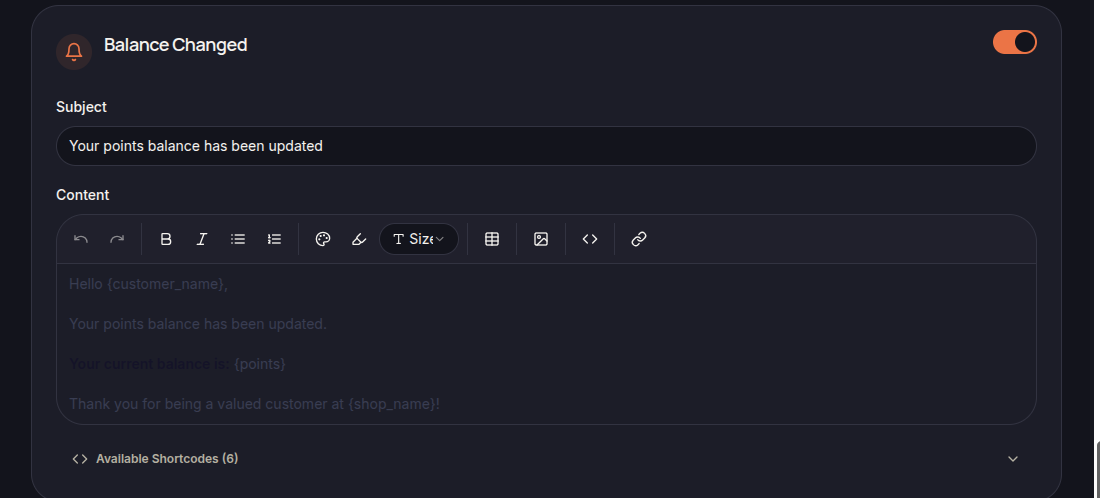
The Balance Changed Email is automatically sent whenever a customer's loyalty points balance changes.
This notification helps customers stay informed about their current points balance and loyalty account activity.
Email Content
The template includes:
- Subject
- Email Content
- Available Shortcodes
Merchants can customize both the subject line and message content to align with their brand communication style.
Using Shortcodes
Shortcodes can be used to automatically insert customer and loyalty information into the email.
Examples include:
- {customer_name}
- {points}
- {shop_name}
Available shortcodes are displayed in the email editor.
Balance Updates
This email may be sent when a customer's points balance changes due to loyalty-related activities, such as:
- Earning points
- Point adjustments
- Bonus point rewards
- Administrative balance updates
- Other loyalty program actions
Customer Engagement
Balance notifications help customers:
- Monitor their loyalty points balance
- Stay informed about account activity
- Track loyalty program participation
- Discover opportunities to redeem rewards
Save Changes
Click Save Settings to apply the updated email template.