
Create Reward
Create a new reward that customers can redeem using loyalty points, including discount vouchers, bonus points, free shipping, and gamification prizes.
Create a Reward
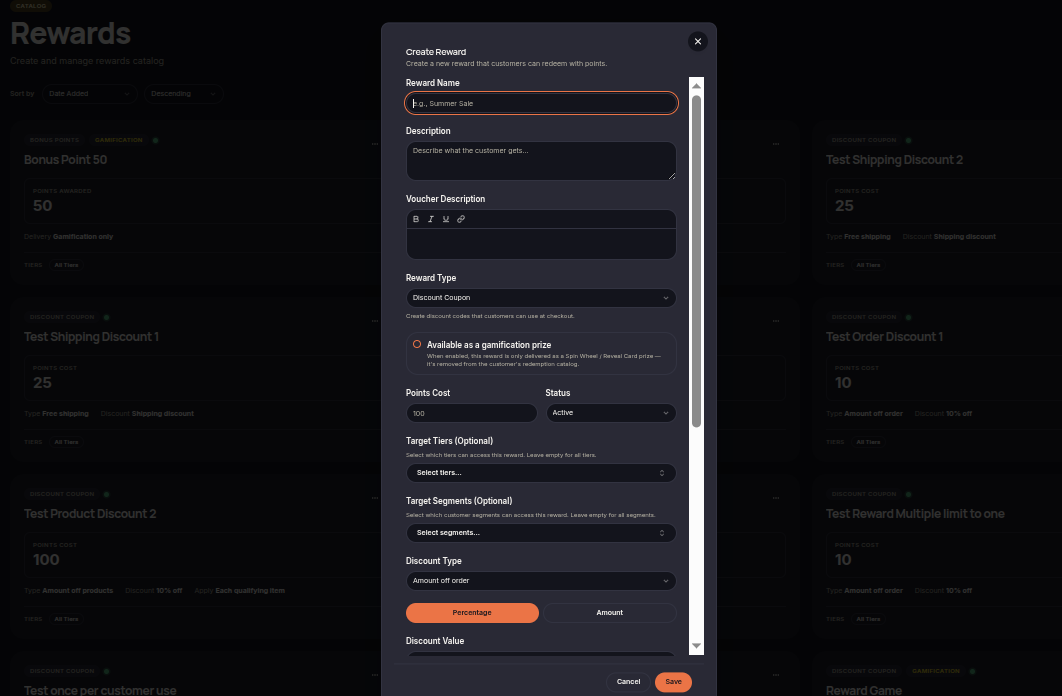
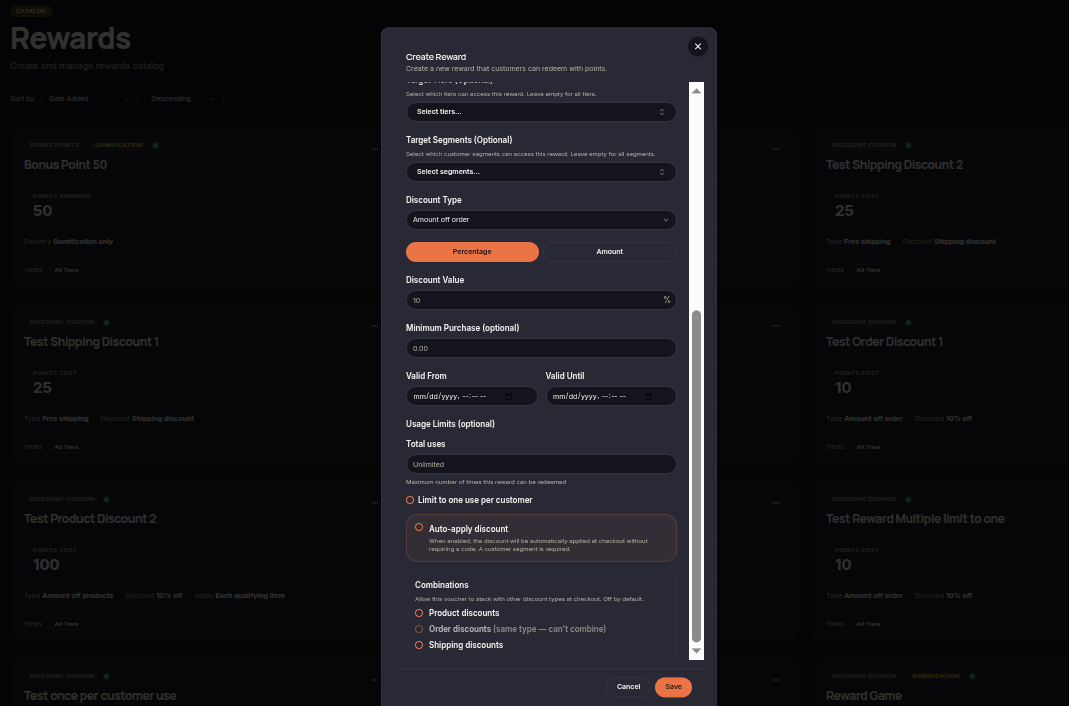
To create a new reward:
- Open Rewards.
- Click Create Reward.
- Enter the reward name, description, and voucher description.
- Select the reward type.
- Configure the points cost and reward status.
- Select target tiers or customer segments if needed.
- Configure discount settings and validity periods.
- Set usage limits if required.
- Click Save.
Available as a Gamification Prize
Enable Available as a Gamification Prize if the reward should only be distributed through Spin Wheel or Reveal Cards.
When enabled:
- The reward can be used in Gamification campaigns.
- The reward is removed from the customer redemption catalog.
- Customers cannot redeem the reward directly using points.
Combinations
Use Combinations to determine whether the reward voucher can be combined with other discounts during checkout.
Available options include:
- Product Discounts
- Order Discounts
- Shipping Discounts
If disabled, the reward voucher can only be used by itself and cannot be stacked with other discounts.