
Edit Tier
Update an existing tier's information, including its name, minimum spend requirement, point multiplier, benefits, status, and display order.
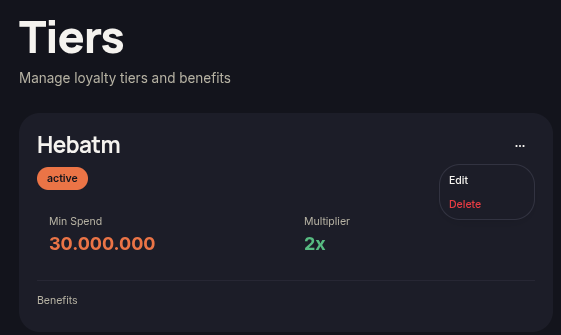
The Edit Tier feature allows merchants to modify tier configurations that have already been created. Any saved changes will be applied immediately to the loyalty program.
Steps to Edit a Tier
- Open the Tiers menu.
- Locate the tier you want to update.
- Click the ⋯ (More Options) icon on the tier card.
- Select Edit.
- Update the required information, such as:
- Name
- Min Spend
- Point Multiplier
- Benefits
- Status
- Sort Order
- Click Update Tier to apply the updates.
Note
- Tier name changes will be reflected immediately in both the dashboard and customer storefront.
- The Point Multiplier determines how many points customers earn within that tier.
- Use Sort Order to control the display order of tiers.