
Adjust Points
Manually add or deduct points from a customer's account.
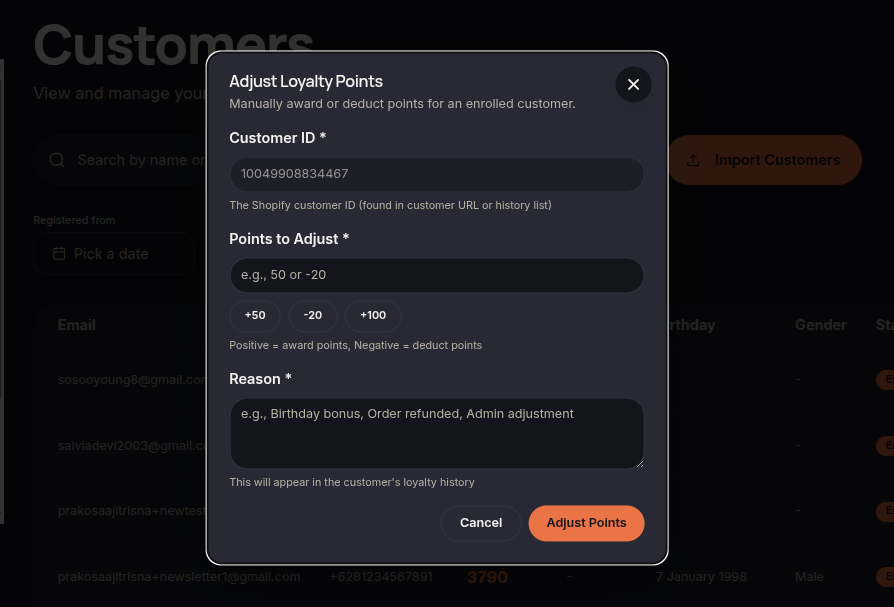
The Adjust Points feature allows merchants to manually modify a customer's point balance by adding or deducting points.
Steps to Adjust Points
- Open the Customers menu.
- Locate the customer you want to update.
- Click ⋯ (More Options).
- Select Adjust Points.
- Enter the number of points to add or deduct.
- Provide a reason if available.
- Click Adjust Point to apply the changes.
Additional Information
- Point adjustments are recorded in customer activity history.
- Use this feature carefully as it directly impacts customer balances.