
Edit Profile
Update customer profile information stored in the loyalty program.
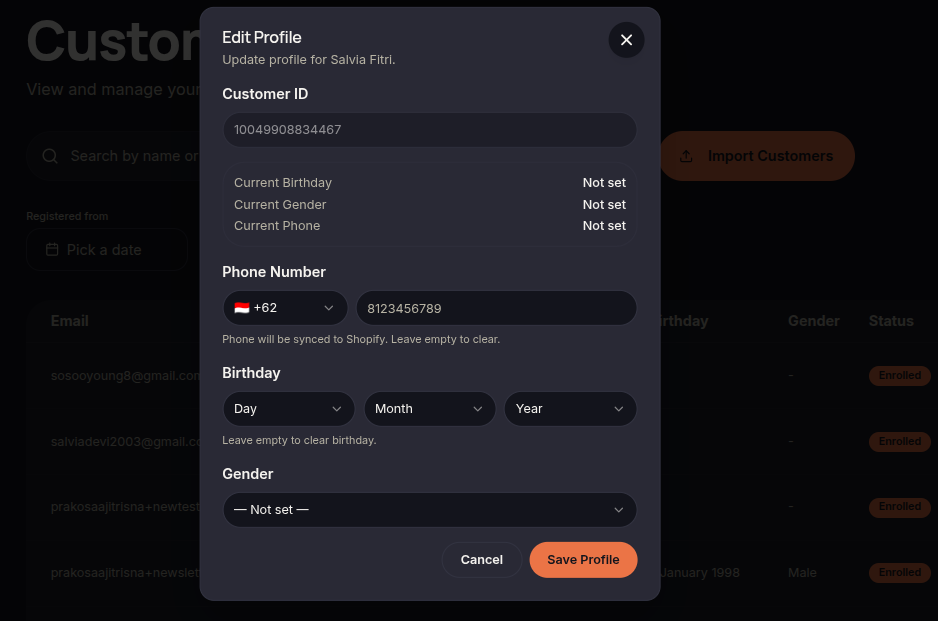
The Edit Profile feature allows merchants to modify customer information stored within the system.
Steps to Edit a Profile
- Open the Customers menu.
- Select the customer you want to update.
- Click ⋯ (More Options).
- Choose Edit Profile.
- Update the required information.
- Click Save Profile.
Additional Information
- Editable fields may vary depending on system configuration.
- Verify customer information before saving.