
Product Review
Reward customers for submitting reviews on purchased products.
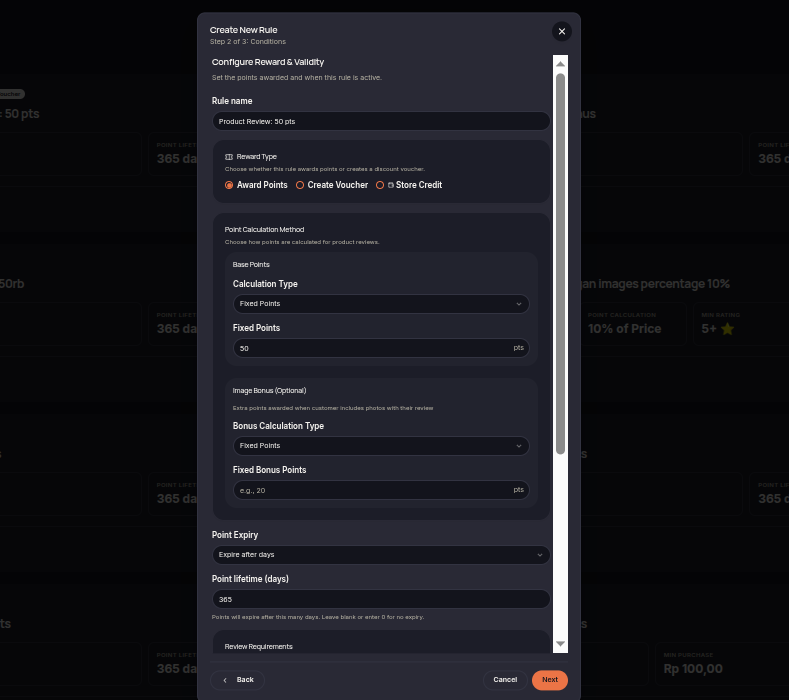
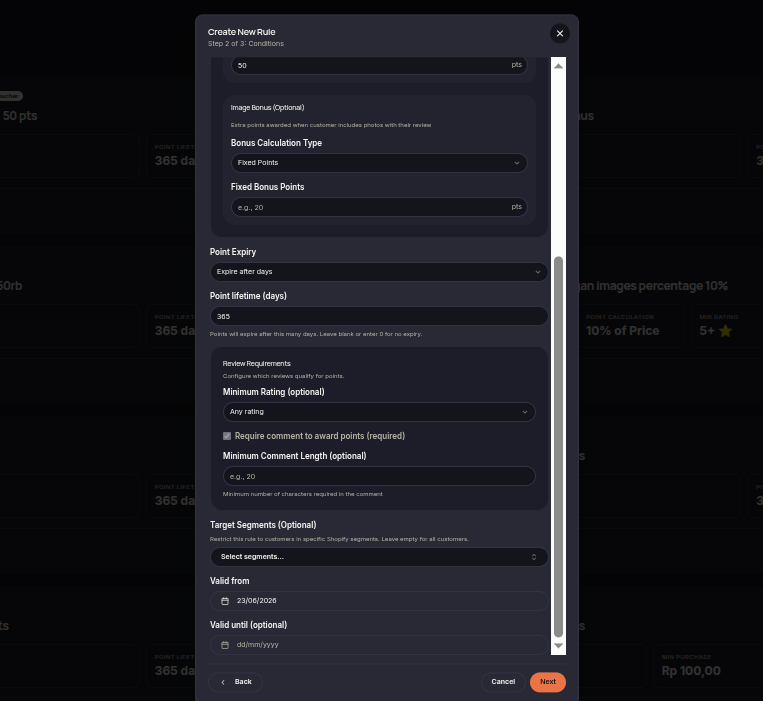
The Product Review rule rewards customers after they submit product reviews. This rule helps encourage customer feedback while increasing the number of product reviews available in your store.
Steps to Create a Product Review Rule
- Open the Rules menu.
- Click Create Rule.
- Select Product Review.
- Choose the reward type (Points or Voucher).
- Set the reward amount customers will receive for eligible reviews.
- Configure additional requirements if needed, such as photo review bonuses.
- (Optional) Select eligible customer tiers or segments.
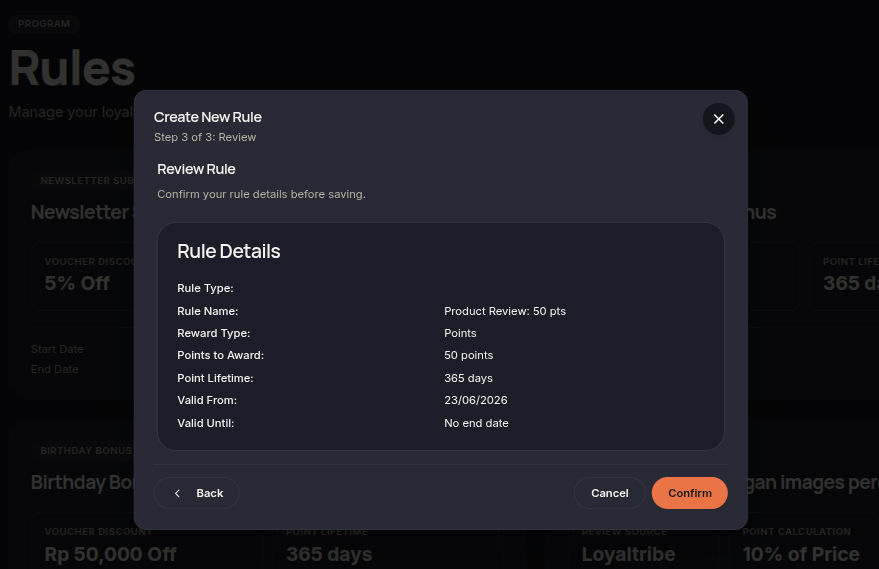
- Click Next to review the configuration.
- Click Confirm rule to save and activate the rule.
Additional Information
- Rewards are only issued for reviews that meet the configured requirements.
- This rule helps increase customer feedback and product review volume.
- Rewards are automatically granted after eligible reviews are processed.