
Rules Overview
Manage loyalty rules that automatically reward customers based on specific activities and program conditions.
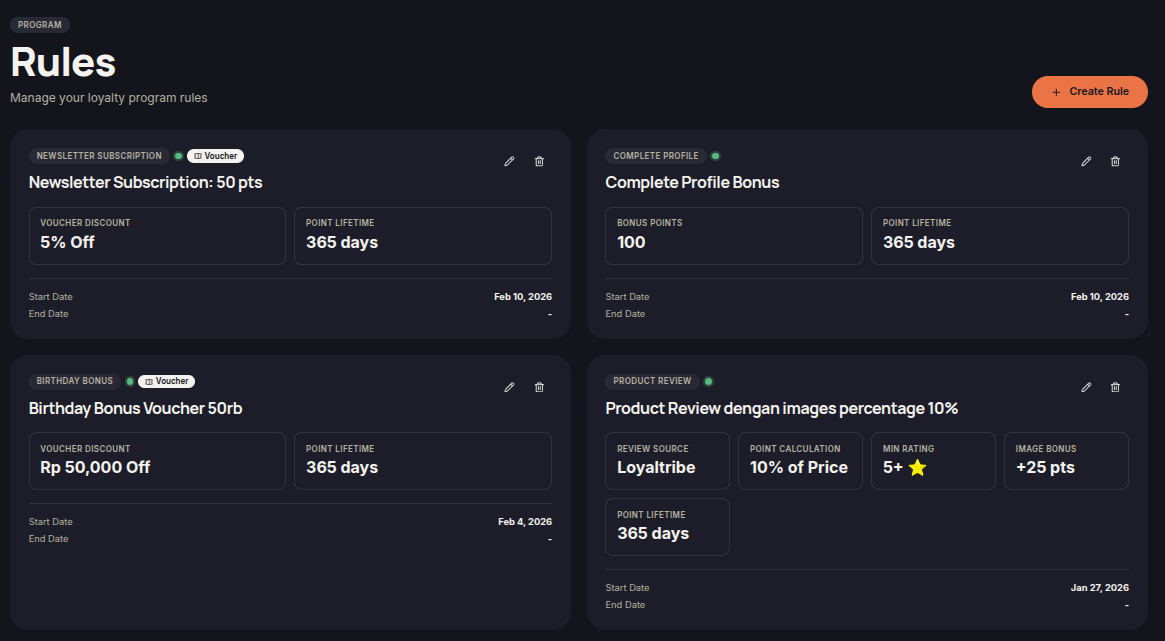
The Rules menu allows merchants to create and manage loyalty rules that automatically reward customers when they complete specific actions. Rewards may include points, vouchers, store credits, or other loyalty benefits depending on the rule configuration.
By using rules, merchants can build a more engaging loyalty program and encourage customers to interact more frequently with their store.
Available Rule Types
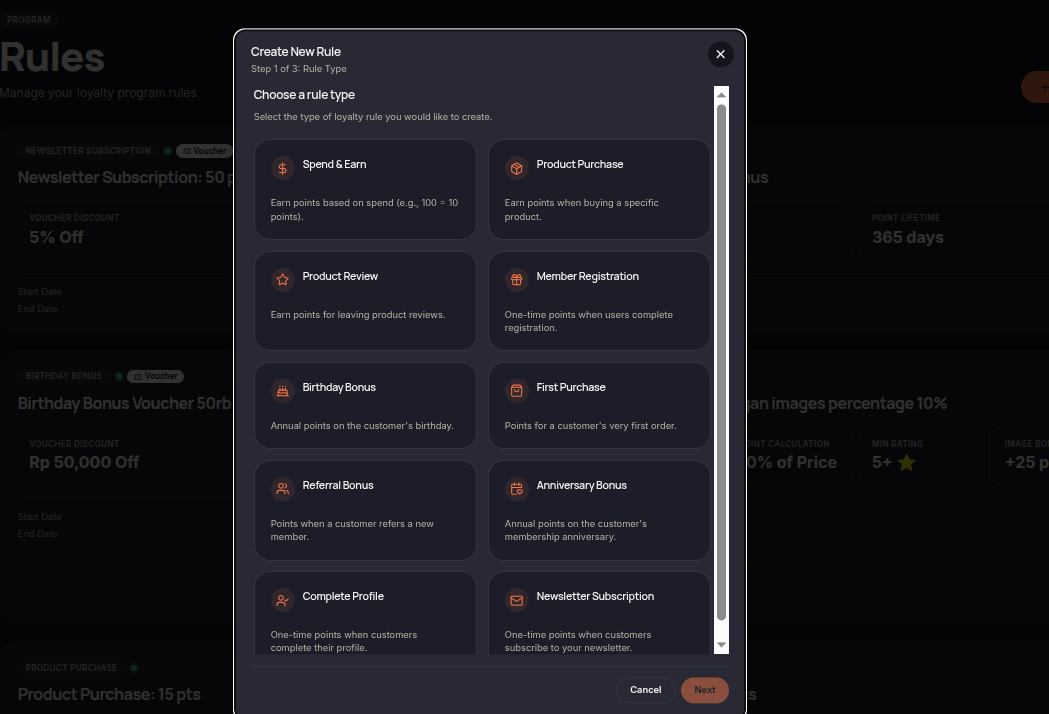
- Spend & Earn — Reward customers based on their spending amount.
- Product Purchase — Reward customers for purchasing specific products.
- Product Review — Reward customers for submitting product reviews.
- Member Registration — Reward customers when they join the loyalty program.
- Birthday Bonus — Reward customers on their birthday.
- First Purchase — Reward customers after completing their first order.
- Referral Bonus — Reward customers for successfully referring new customers.
- Anniversary Bonus — Reward customers on their membership anniversary.
- Complete Profile — Reward customers for completing their profile information.
- Newsletter Subscription — Reward customers for subscribing to newsletters.
How to Manage Rules
- Open the Rules menu.
- Review the available rules.
- Click Create Rule to create a new rule.
- Select the desired rule type.
- Configure the rewards and requirements.
- Save the configuration to activate the rule.
Additional Information
- Each rule can have different rewards and requirements.
- Rules can be restricted by tiers, segments, or validity periods.
- Rewards are automatically granted when customers meet the rule conditions.
- Merchants can create multiple rules to support different loyalty campaigns.