
Spend & Earn
Reward customers based on their purchase amount for each qualifying transaction.
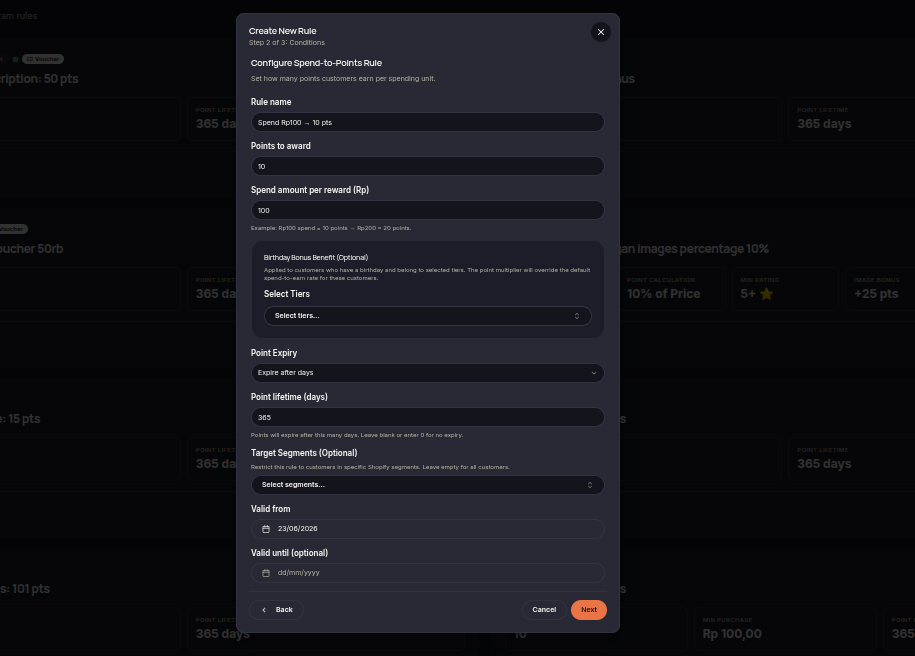
The Spend & Earn rule is one of the core loyalty program rules that rewards customers based on their spending amount. Higher purchase values can result in greater rewards according to the merchant's configuration.
Steps to Create a Spend & Earn Rule
- Open the Rules menu.
- Click Create Rule.
- Select Spend & Earn.
- Define the spending amount used to calculate rewards.
- Choose the reward type (Points or Voucher).
- Set the reward value customers will receive.
- (Optional) Configure eligible customer tiers or segments.
- Set the rule validity period if required.
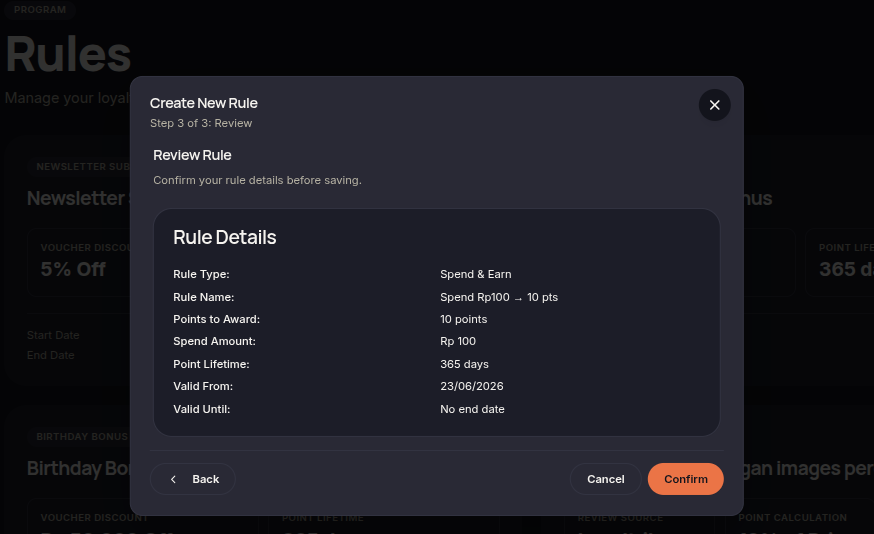
- Click Next to review the configuration.
- Click Confirm rule to save and activate the rule.
Additional Information
- Rewards are calculated based on qualifying purchase amounts.
- This rule is commonly used as the primary earning mechanism in a loyalty program.
- Rewards are automatically issued after eligible transactions are processed.